Features
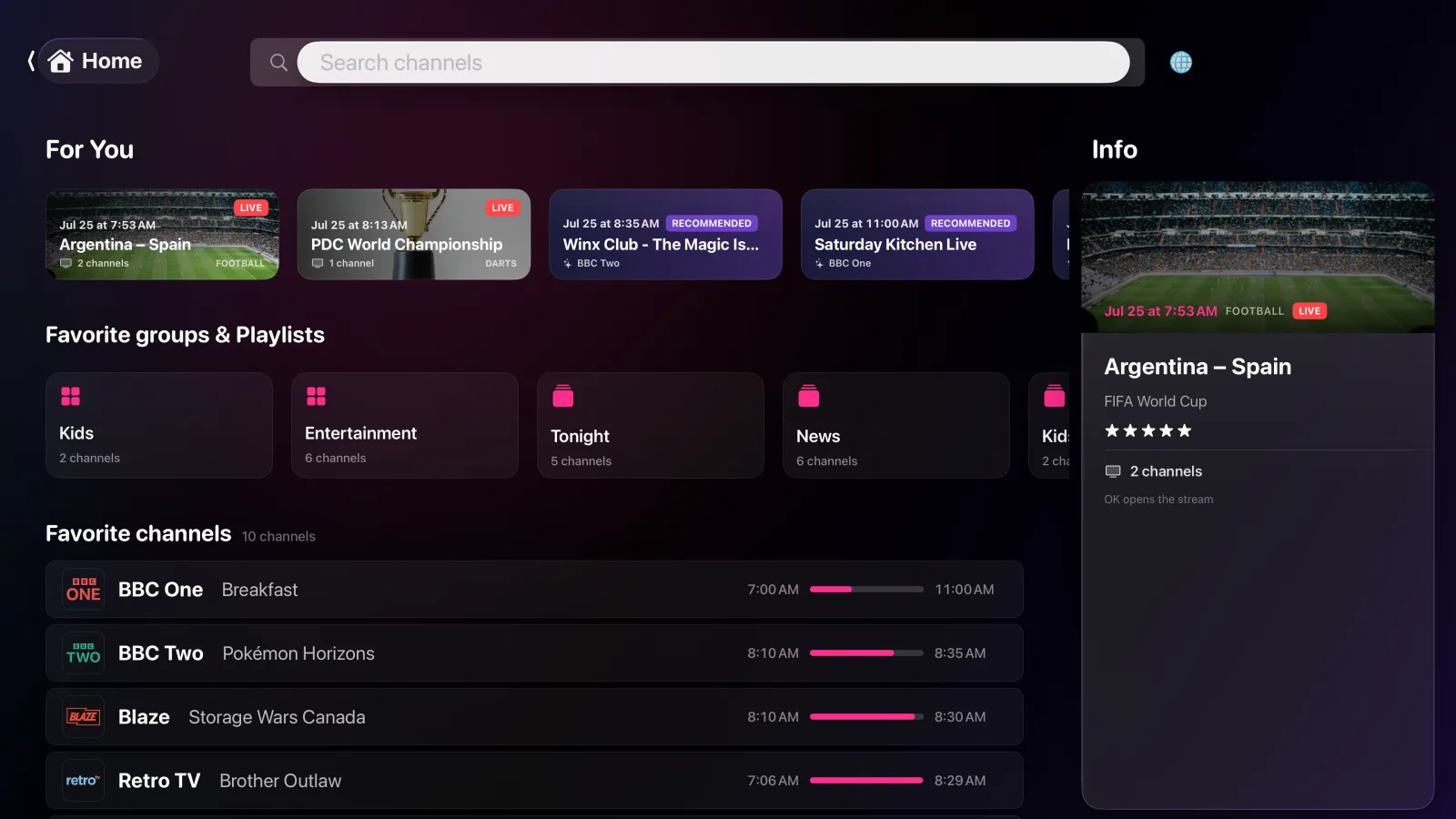
Home
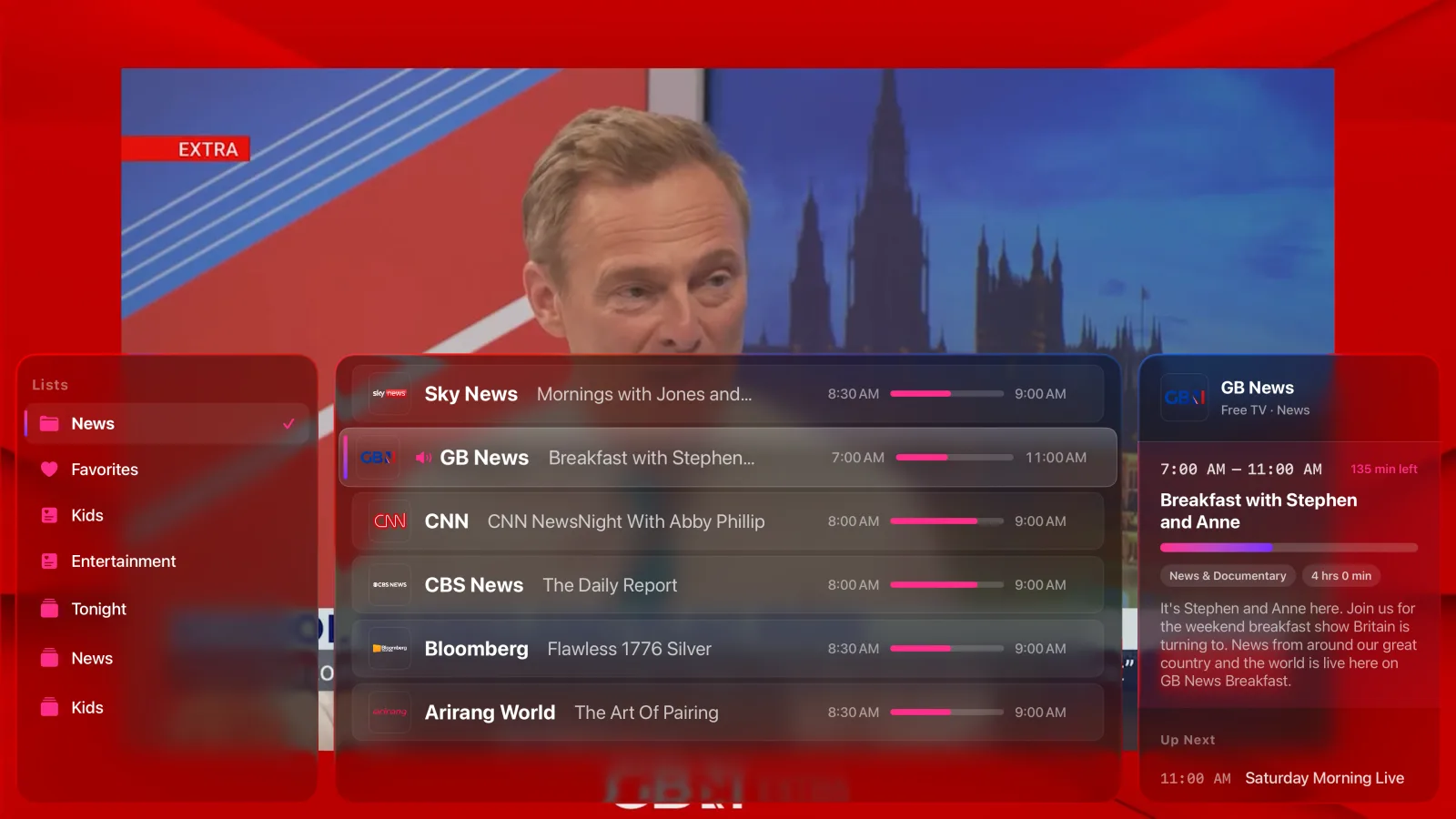
- For You - live sport events matched to the channels you actually have
- Groups and playlists - add your favourites to the sidebar for quick access
- Favourite channels - recently watched, most watched and favourites, one click away
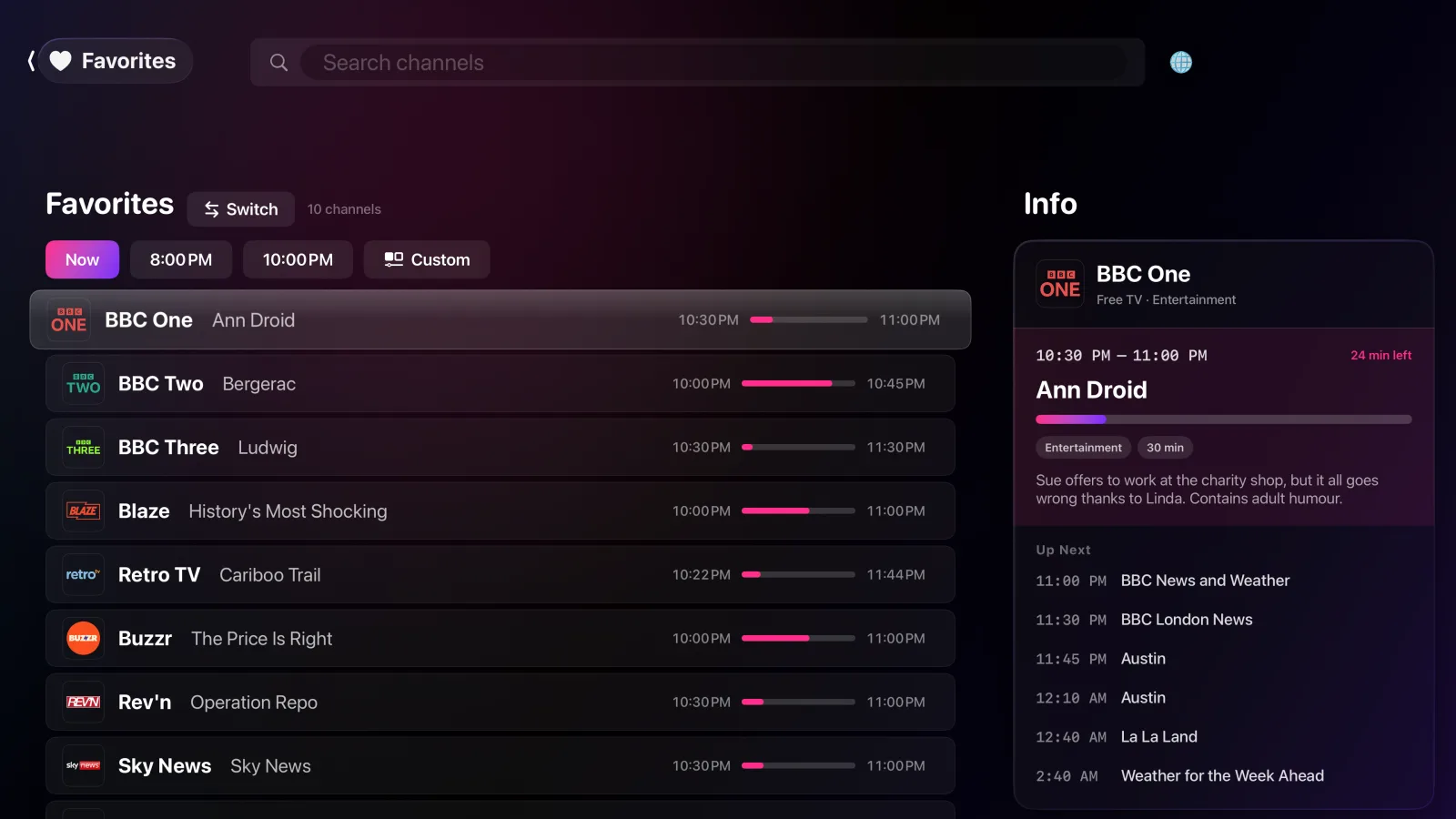
Guide
- Now and later - move the whole list to 8 PM, 10 PM or any time you pick
- Program data included - the guide is filled for common channels
Sources
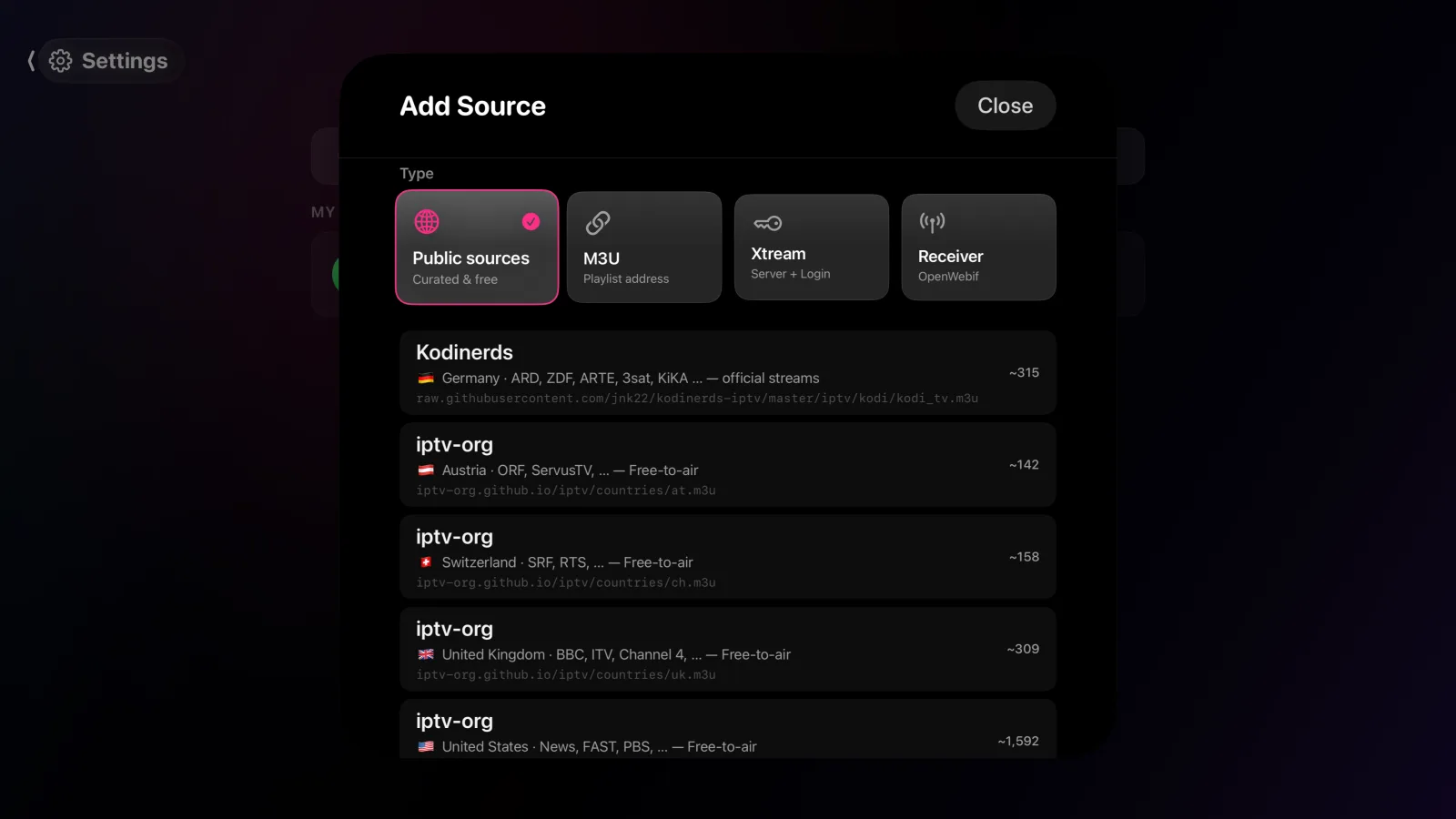
- M3U playlists and Xtream Codes - paste a playlist link, or enter the host and login your provider gave you
- Enigma2 receivers - a Dreambox, VU+ or other OpenWebif box on your network, including its recordings and timers
- One channel list - sources run side by side, not in separate apps
Zapping
- Zap from the list - browse your lists without stopping the stream
- Details in place - description and what follows, per channel
- Picture in picture - on iPhone, iPad and Mac
Player
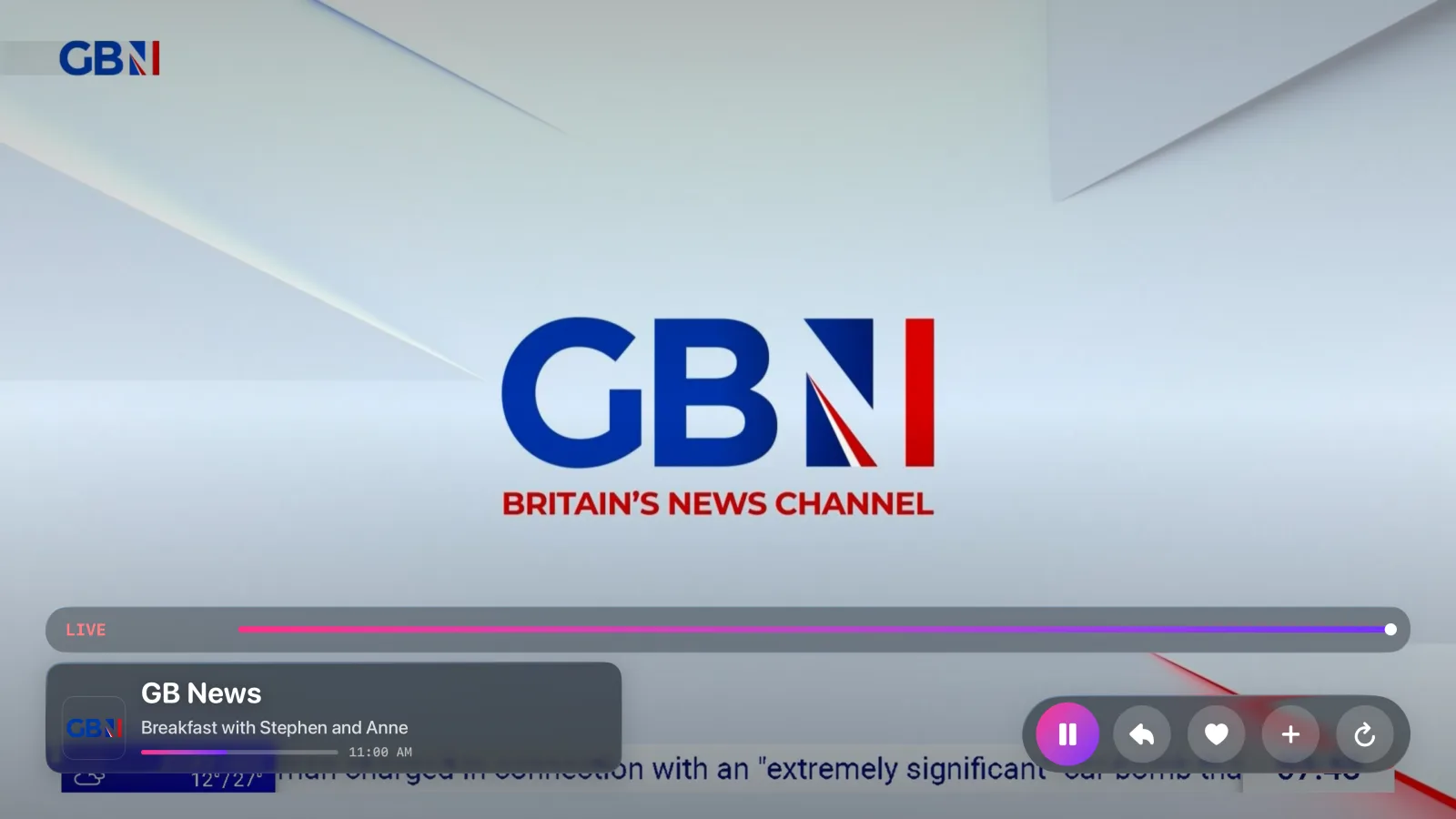
- Several engines - if a channel does not play, switch the engine in the settings and try again
- Rewind - where the stream carries a buffer, you can go back in it
Runs where your screens are.
Phones, tablets, Android TV, Fire TV
Google Play and Amazon Appstore - planned
Smart TVs (webOS)
LG Content Store - in review
Smart TVs (Tizen)
Built and finished - Samsung no longer accepts IPTV players into their store.
Desktop
Microsoft Store or direct - planned
Feedback
Spotted a bug, or have an idea?
Report it on GitHub. The tracker is public, so you can see what is already known, follow a fix, and add to someone else's report instead of writing a second one. Email still works for anything you would rather not post publicly.
M3U, Xtream, Enigma2 - what works.
Does IPTV Pano include TV channels?
No. Pano is a player, not a provider - it sells no channels and no subscriptions, and it ships none of its own. You bring an M3U playlist, an Xtream Codes account or an Enigma2 receiver.
Can I download it yet?
Yes - IPTV Pano is on the App Store for iPhone, iPad, Mac and Apple TV. The LG (webOS) version is in review; Android, Fire TV and Windows are still to come. The Samsung (Tizen) version is finished, but Samsung no longer accepts IPTV players into their store.
Which devices does it run on?
iPhone, iPad, Mac and Apple TV; Android phones, tablets, Android TV and Fire TV; LG Smart TVs on webOS; and Windows on the desktop - one app, with sources and favourites kept in sync between them. The table above has the per-store detail.
What does it cost?
Nothing. Pano is free, with no in-app purchases, no subscription and no sign-up.
Can it run Xtream Codes and an M3U playlist at the same time?
Yes. Several sources run side by side in one channel list instead of in separate apps, so an M3U playlist, an Xtream Codes account and an Enigma2 box can all feed the same guide, search and favourites.
Does it work with my Dreambox or VU+?
Yes. Any Enigma2 box running OpenWebif on your local network works as a source - including its recordings and timers.
What if a channel won't play?
Pano ships several player engines. If a stream refuses one, switch to another in the settings and try the channel again - different engines handle awkward streams differently, which is why they're all in there.
Is there a program guide if my provider sends none?
Yes. The guide is filled for common channels from Pano's own data, so a bare playlist with no EPG attached still shows now and next.
Do I have to type my provider login on the TV with a remote?
No. Add the source on your phone, then scan a QR code on the TV. Everything syncs from there, so credentials never get typed with a remote.
Where do my provider credentials go?
They're end-to-end encrypted with a key that stays on your device, so the server only ever holds ciphertext. Syncing is off until you switch it on - watch on one device and nothing of yours is uploaded at all. See the Privacy Policy.
Gibt es IPTV Pano auf Deutsch?
Ja. Die App ist auf Deutsch, Englisch, Spanisch, Französisch und Portugiesisch verfügbar. Diese Seite gibt es ebenfalls auf Deutsch.