Send feedback or playback diagnostics
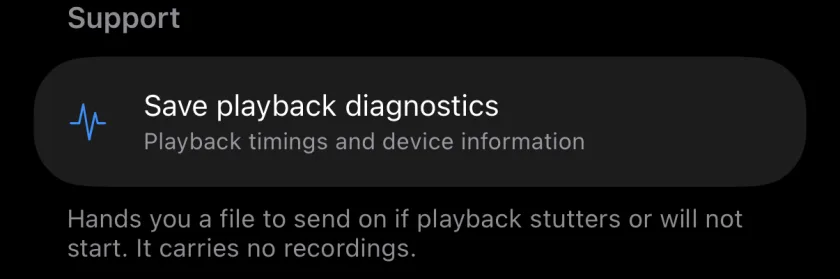
The envelope in the project list opens Feedback, which starts an email to musaicapp@outlook.com with the app version already filled in. If playback stutters or does not start, Save playback diagnostics in the More tab creates a small file with playback timings and device information, without any recordings, which you can attach. Nothing is uploaded unless you send it yourself.
Musaic - Recording Studio is free for iPhone and iPad. Where a step needs Musaic Pro, the guide says so.
You need: Nothing extra.
-
Write to me
Tap the envelope (Send feedback) in the project list, then Send feedback. Mail opens with my address and your app version.
-
Save diagnostics
In a project, open the More tab and, under Support, tap Save playback diagnostics. Choose where the file goes: Mail, AirDrop, Files.
-
Report a bug in public
Bugs and ideas can also go to the public tracker on GitHub, where you can see what is already known: report a bug.
-
What is in the diagnostics file?
The app build, the iOS version, the device model and playback timings. No recordings.
-
Is anything sent automatically?
No. The file only goes where you send it.
Musaic - Recording Studio is free on the App Store for iPhone and iPad, with weekly challenges and Ideas. Musaic Pro adds lyrics, animations, chord detection and Audio Lab, and removes the watermark.
- Headphones, AirPods and the speaker: recording without bleedGuide
- How to share a Musaic project with someoneGuide
Written for Musaic 1.4.0.