Play instruments on your iPhone, on screen or with a MIDI keyboard
Musaic has nine instrument families with 49 sounds: piano, bass, drums, synth, strings, guitar, harmonica, brass and mallets. You play them on the screen or on a USB or Bluetooth MIDI keyboard, and every recording lands on a new layer while the song plays back. The keyboard can show only the notes of your song's key, so every note fits. The instruments are free.
Musaic - Recording Studio is free for iPhone and iPad. Where a step needs Musaic Pro, the guide says so.
You need: Nothing extra. A MIDI keyboard is optional; USB and Bluetooth MIDI both work.
-
Open Instruments
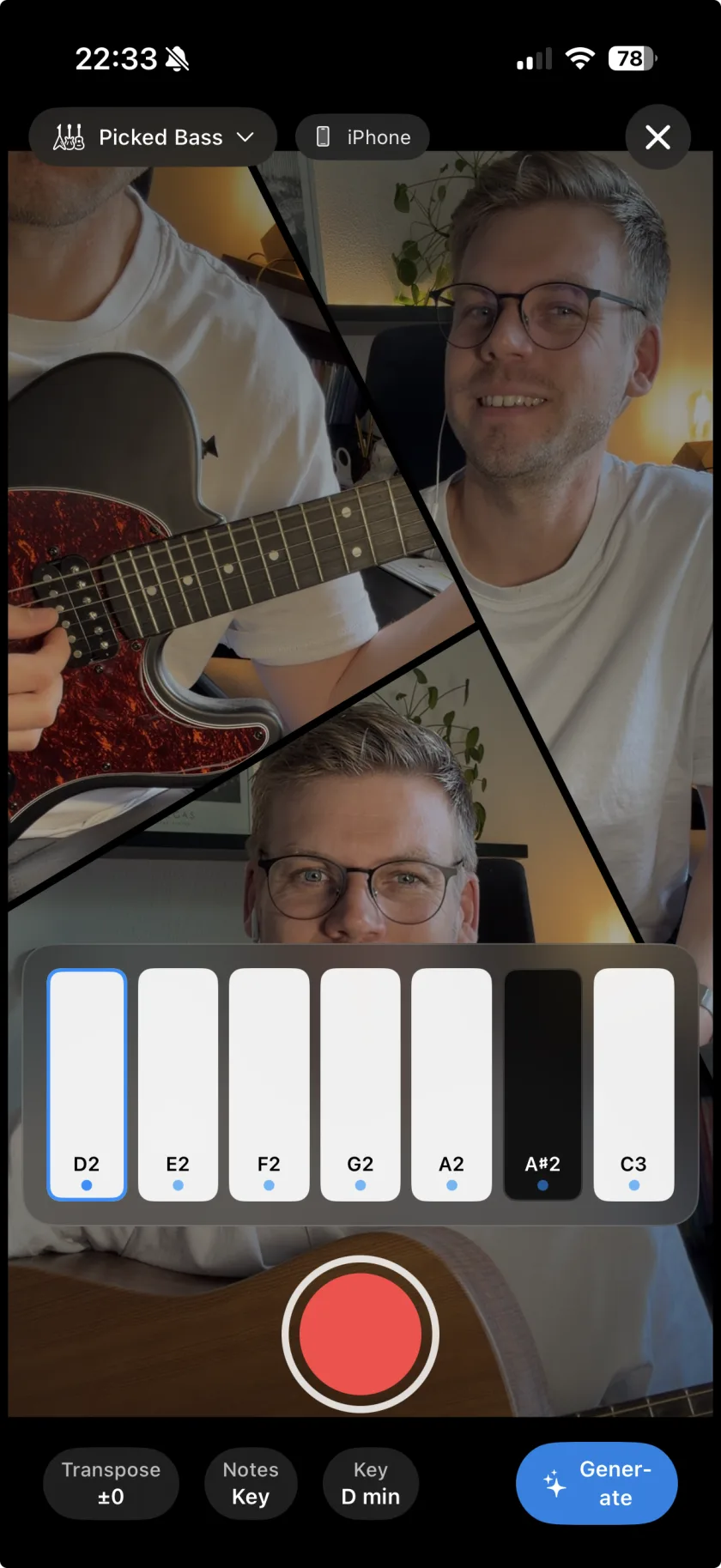
Tap Add layer and choose Instruments ("Played with your fingers, on screen or on a MIDI keyboard"), then a family.
-
Pick a sound
Choose one of the sounds of that family, for example Electric Rhodes, Fretless Bass or the 808 Kit.
-
Set the notes
The Notes chip decides which keys you see: Only tones in your key, All notes (chromatic), Root + Fifth only, or your own selection. Key sets the song key, Transpose moves everything by up to 12 semitones.
-
Record
Tap record. A count from 4 to 1 runs, the song plays back, and your part lands on a new layer.
-
Or plug in a MIDI keyboard
Connect a keyboard over USB or Bluetooth. Musaic finds it by itself and shows a panel with the notes you hold, plus Sustain and Soft. On-screen keys brings the touch keyboard back.
-
Piano
Acoustic Grand, Felt Piano, Piano & Strings, Bright Acoustic, Electric Rhodes, Chorused Tine, Bell Piano, Honky-Tonk.
-
Bass
Fingered, Picked, Fretless and Slap Bass, two synth basses, Analog Bass, 808 Sub.
-
Drums
Trap, Acoustic, Rock, Electronic, 808 and Dance kits.
-
Synth
Saw, Square and Pluck Lead, Fifths Arp, Polysynth, Warm, Halo and Sweep Pad, Crystal.
-
Strings and guitar
Warm and Bright Strings, Solo Cello; Nylon, Steel, Electric Clean and Electric Crunch guitar.
-
Harmonica, brass, mallets
Three harmonicas; trumpet, trombone, tuba, French horn; steel drums, kalimba, marimba, vibraphone.
-
Your own SoundFont
Import SoundFont… loads an SF2 or DLS file into a family. It stays on your device.
-
Is there a click while I play?
The instrument recorder counts 4 to 1 on screen before it starts, and the song plays back while you record. The audible metronome is in the camera and audio recorder.
-
Can I fix wrong notes?
Pick Only tones in your key, and wrong notes stop being possible.
Musaic - Recording Studio is free on the App Store for iPhone and iPad, with weekly challenges and Ideas. Musaic Pro adds lyrics, animations, chord detection and Audio Lab, and removes the watermark.
- Gesture synth on iPhone: air instruments you play with your handsGuide
- Generate bass, drums and keys from your chordsGuide
- How to record a song with several tracks on your iPhoneGuide
Written for Musaic 1.4.0.