How to sing harmonies with yourself on iPhone
To sing harmonies with yourself, record the melody first and then sing each harmony on a new layer while the earlier takes play back in your headphones. In Musaic every voice keeps its own effects, and in a Mosaic project every voice also gets its own pane, so the video shows the whole choir. The timeline lines the voices up to the millisecond.
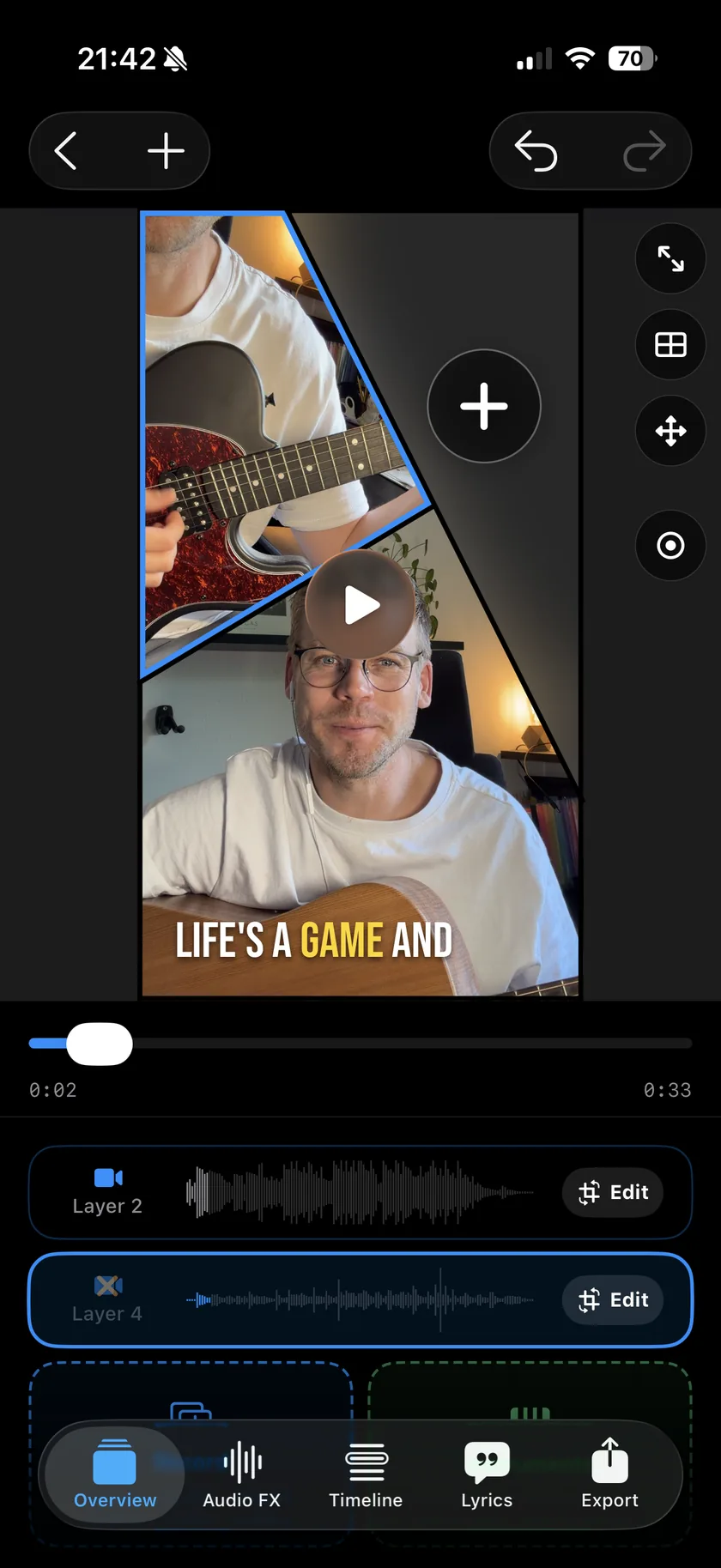
Musaic - Recording Studio is free for iPhone and iPad. Where a step needs Musaic Pro, the guide says so.
You need: Headphones. A Mosaic project if every voice should be on screen, an Audio project if you only want the sound.
-
Record the melody
Create a Mosaic project with one pane per voice, tap Record and sing the melody. A count-in from the metronome helps every voice start at the same moment.
-
Sing the first harmony
Tap Record again. The melody plays in your headphones while you sing the harmony. It lands on its own layer, in the next pane.
-
Add more voices
A third, a bass line, an ad-lib: each on a new layer, up to 10.
-
Give each voice its sound
In the Audio FX tab, pick a Voice style for each layer and add reverb, so the backing voices sit behind the lead.
-
Line them up
If a voice starts late, open its Sync Offset and move it in 1 ms steps.
-
Voice style
12 styles for a voice, among them Velvet, Hush, Double and Harmony, with an Intensity slider. Auto fits the style to the take.
-
Doubler
Adds a detuned copy of a voice for a thicker sound.
-
Reverb presets
Dry, Small room, Big room, Hall, Slapback, Dub and Ambient.
-
One pane per voice
In a Mosaic project every voice is on screen, up to 10 panes.
-
Does Musaic sing the harmonies for me?
No. Every voice is one you sing. The Doubler and the voice styles change how a voice sounds, not which notes it sings.
-
How do I find the harmony notes?
With Musaic Pro, chord detection shows the chords and the key of your take, which helps to find the notes of a harmony.
Musaic - Recording Studio is free on the App Store for iPhone and iPad, with weekly challenges and Ideas. Musaic Pro adds lyrics, animations, chord detection and Audio Lab, and removes the watermark.
- How to record a song with several tracks on your iPhoneGuide
- Audio effects for every layer: reverb, EQ and compressionGuide
- Headphones, AirPods and the speaker: recording without bleedGuide
Written for Musaic 1.4.0.