
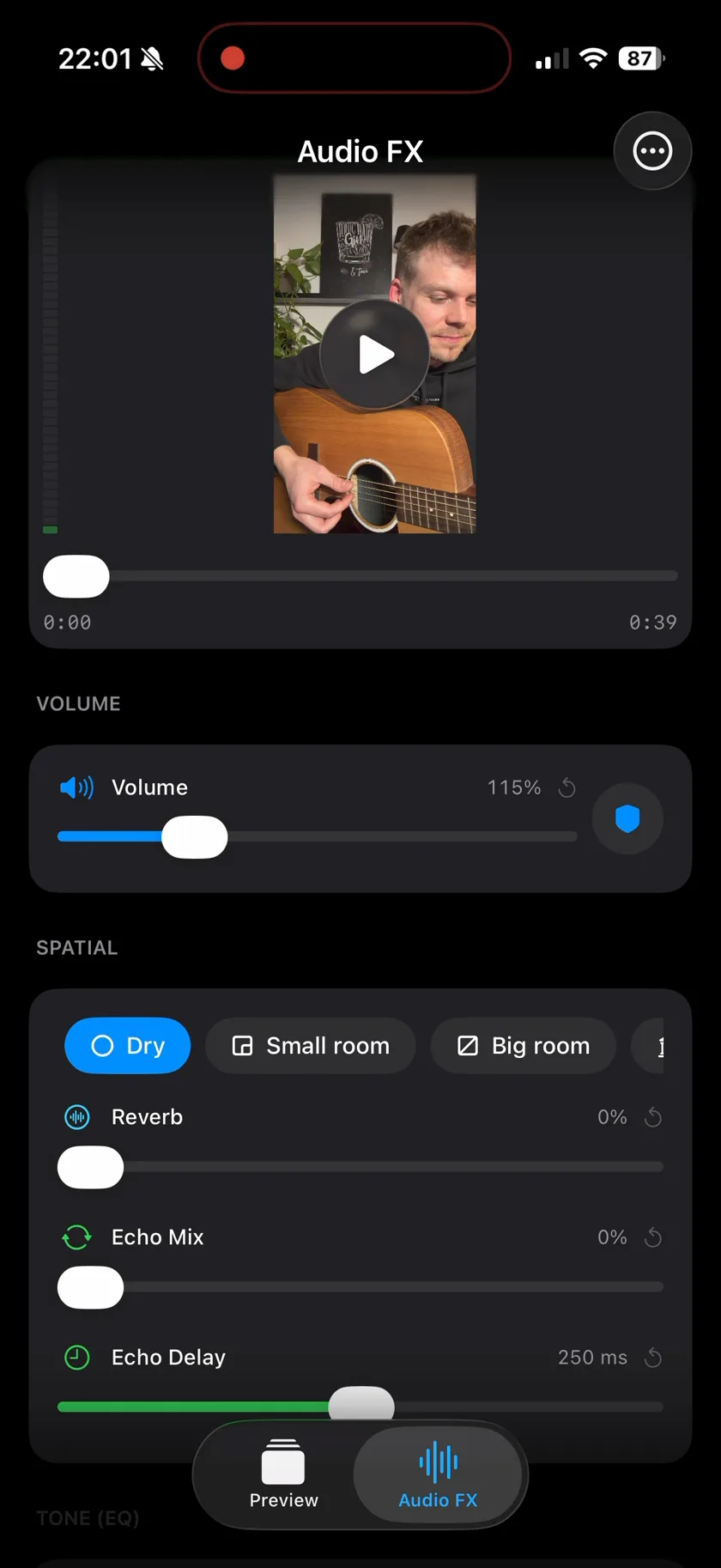
Features
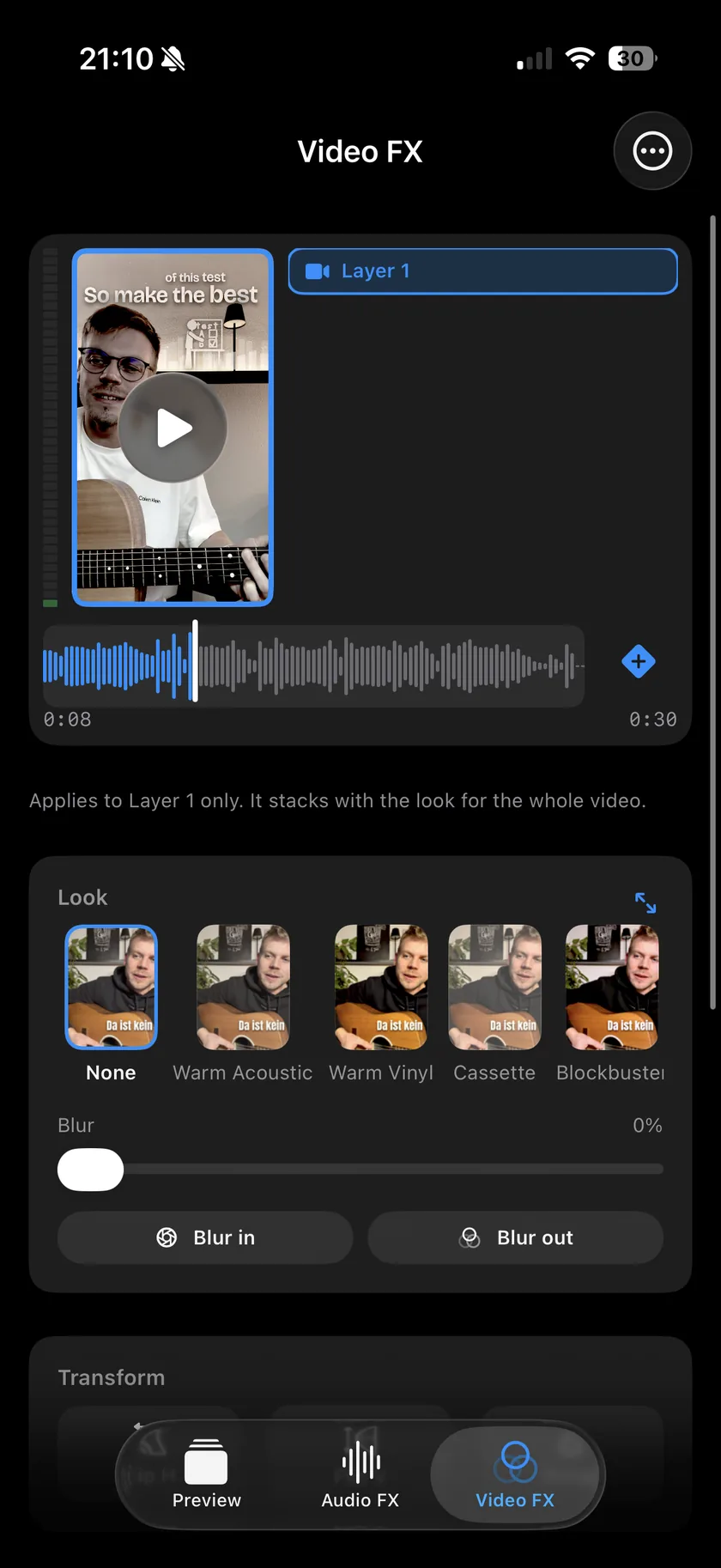
Looks & blur
17 colour looks, from Warm Vinyl and Cassette to Noir and VHS, each with a strength dial. Blur has one-tap Blur in and Blur out.
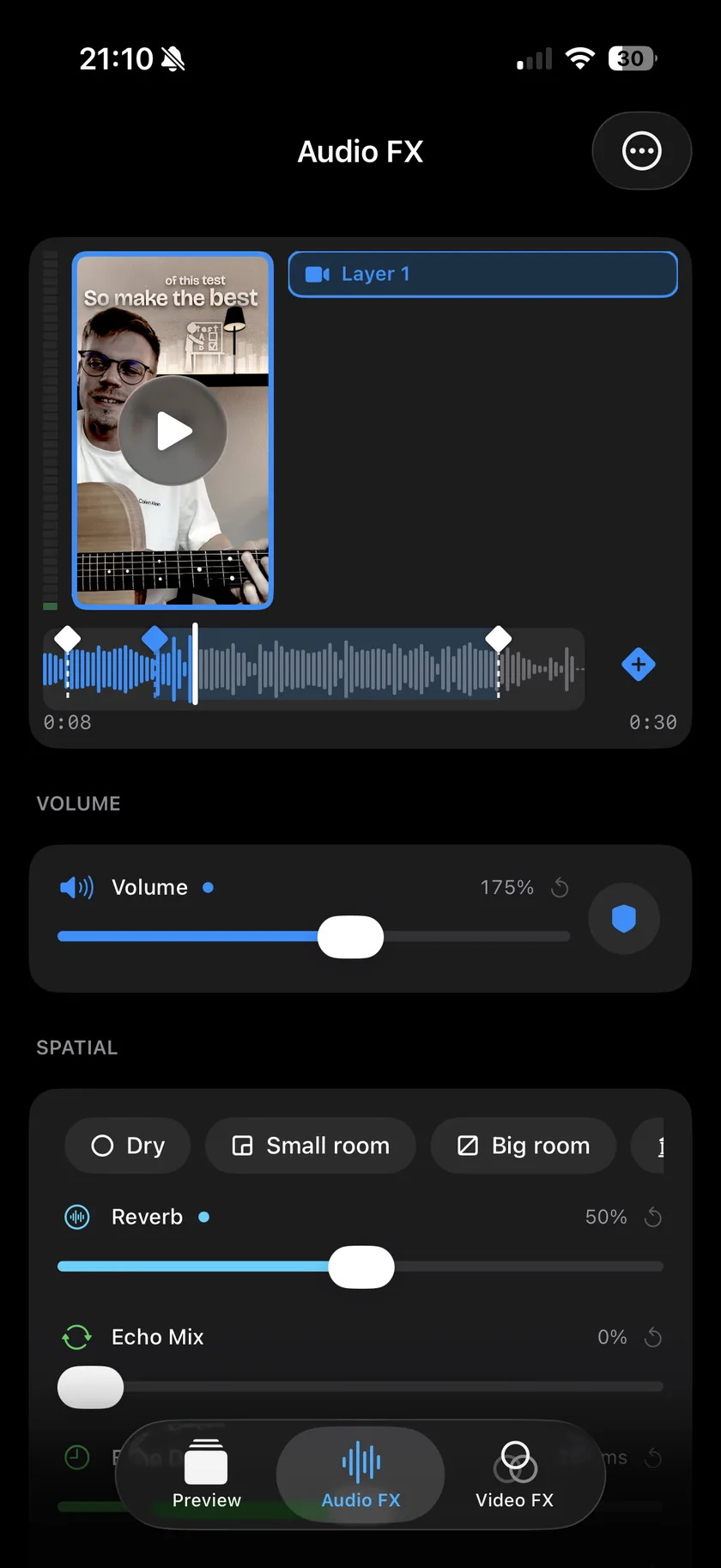
Keyframes
Set a keyframe, change the effects, and they change as the clip plays: more reverb in the chorus, less in the verse. It works for the sound and for the look.
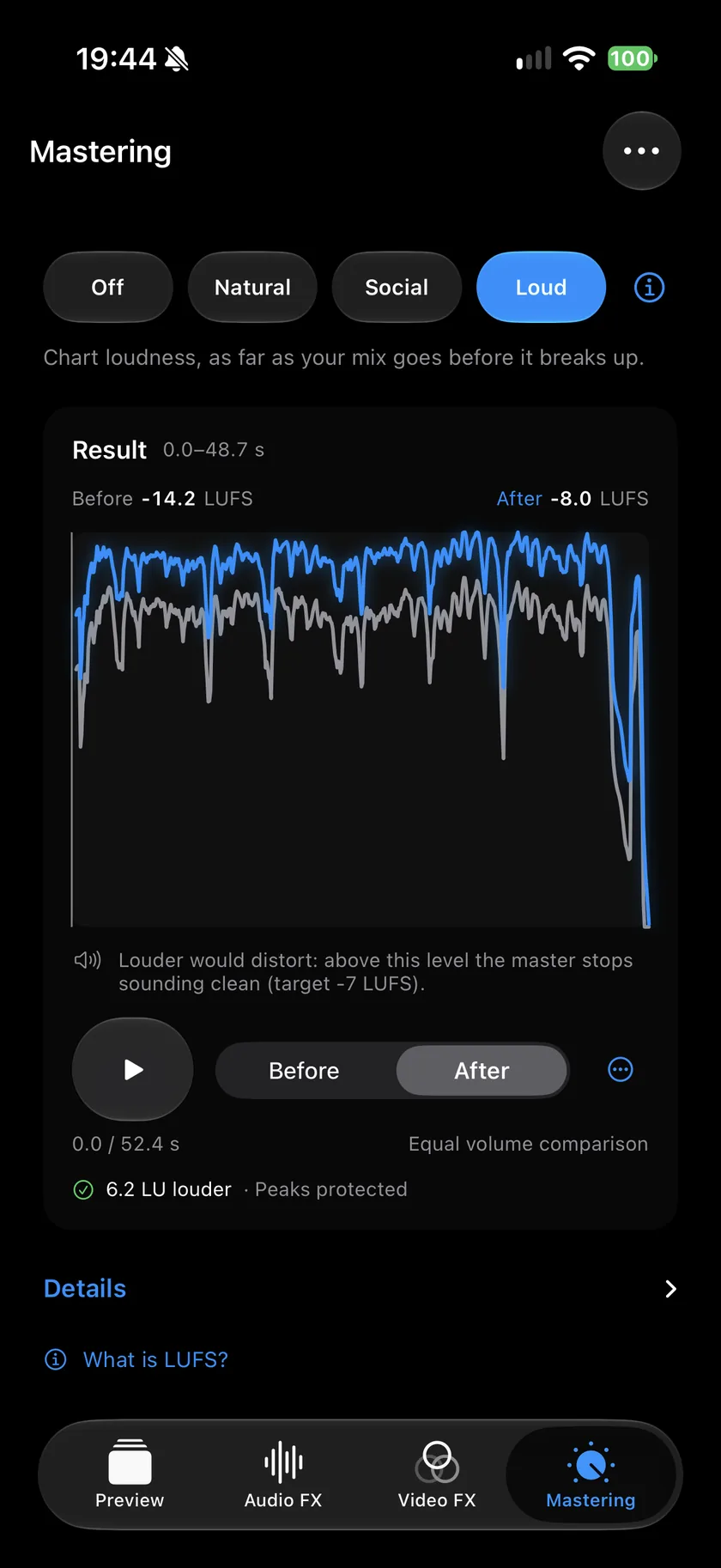
Mastering & speed
Mastering measures the loudness of your video and raises it to Natural, Social or Loud, with the before and after in LUFS. Speed has one tap for Slowed + Reverb or Sped up, or any speed from 0.5x to 1.5x, with the picture in sync.
Guides
One page per question, with numbered steps and the button names as Videcho shows them. Each guide ends with the questions people ask about it.
-
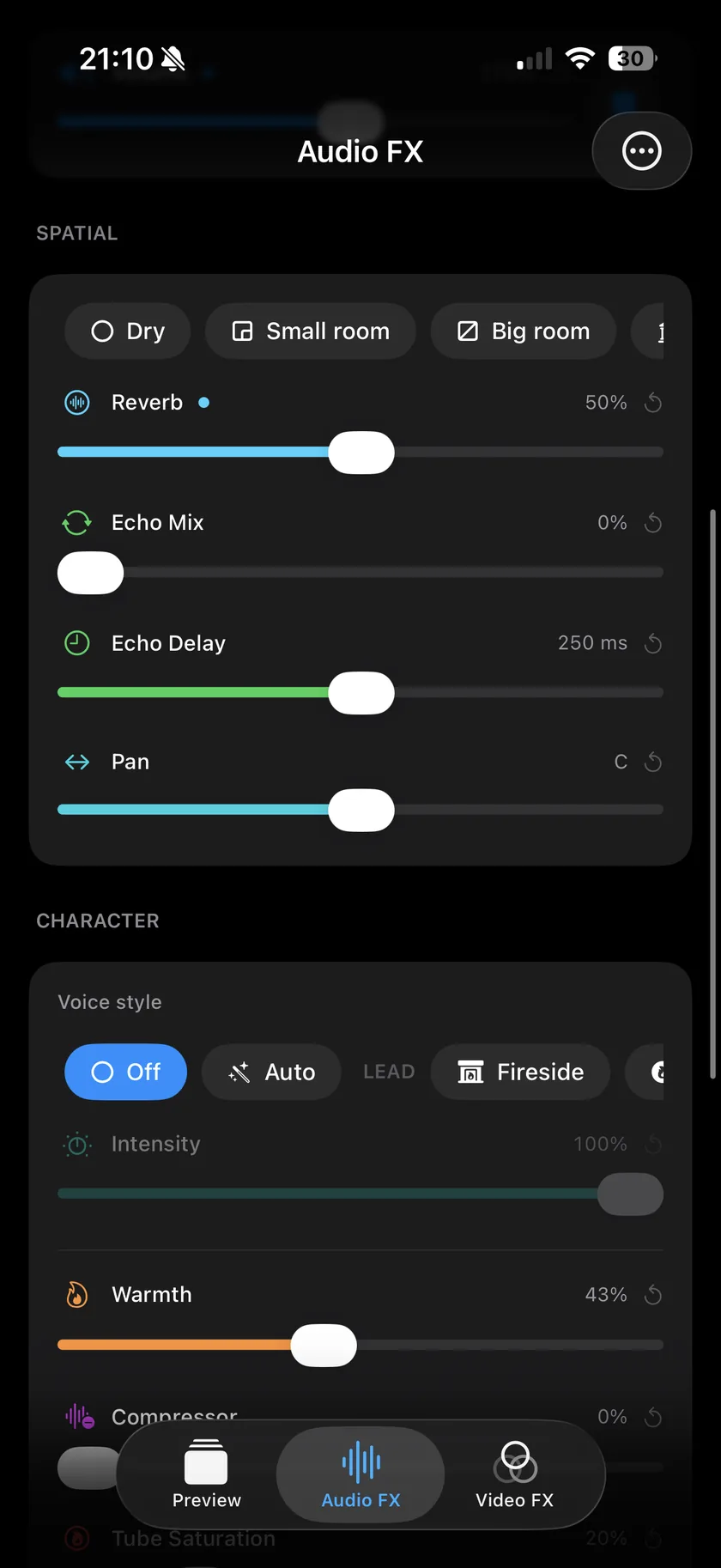 Reverb
Pick a room, set the amount, export.
Reverb
Pick a room, set the amount, export.
-
Echo
Slapback, dub repeats or your own delay.
-
Volume
Volume to 300%, with a limiter.
-
Mastering
Natural, Social or Loud, measured in LUFS.
-
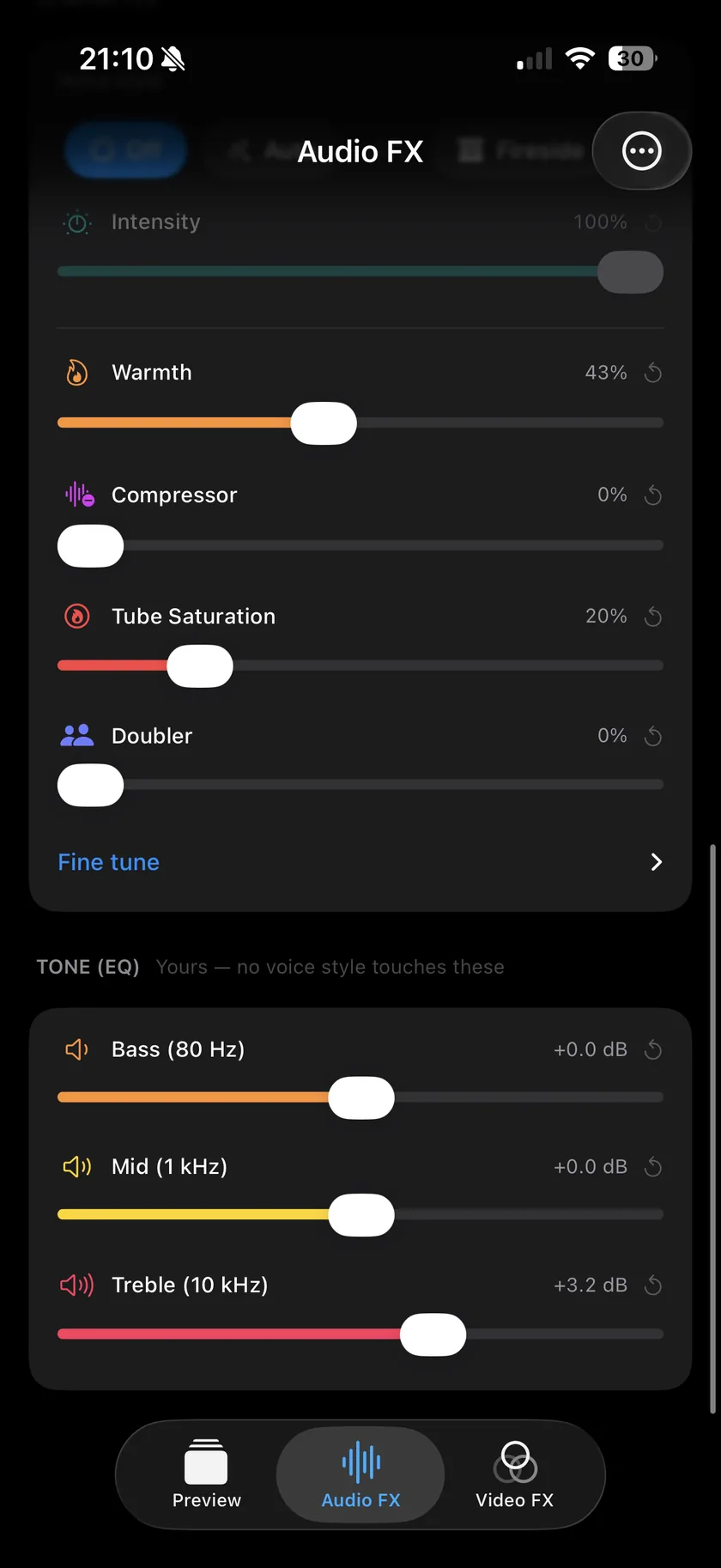 Sound
Voice style, reverb, EQ and keyframes.
Sound
Voice style, reverb, EQ and keyframes.
-
EQ
Bass, Mid and Treble, plus Low Cut.
-
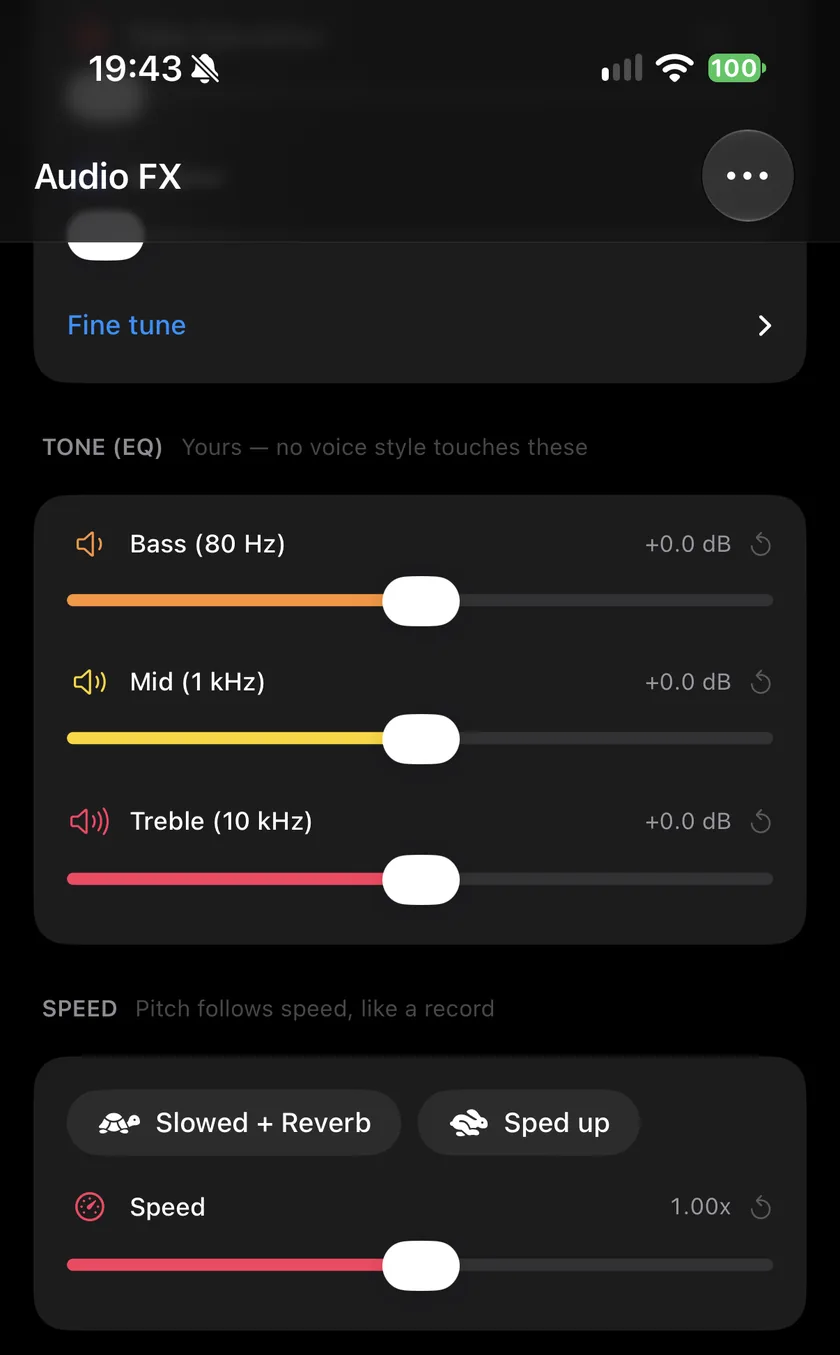 Speed
One tap for slowed + reverb or sped up.
Speed
One tap for slowed + reverb or sped up.
-
Speed
One tap for 1.25x, up to 1.50x.
The bigger sibling
Musaic - Recording Studio
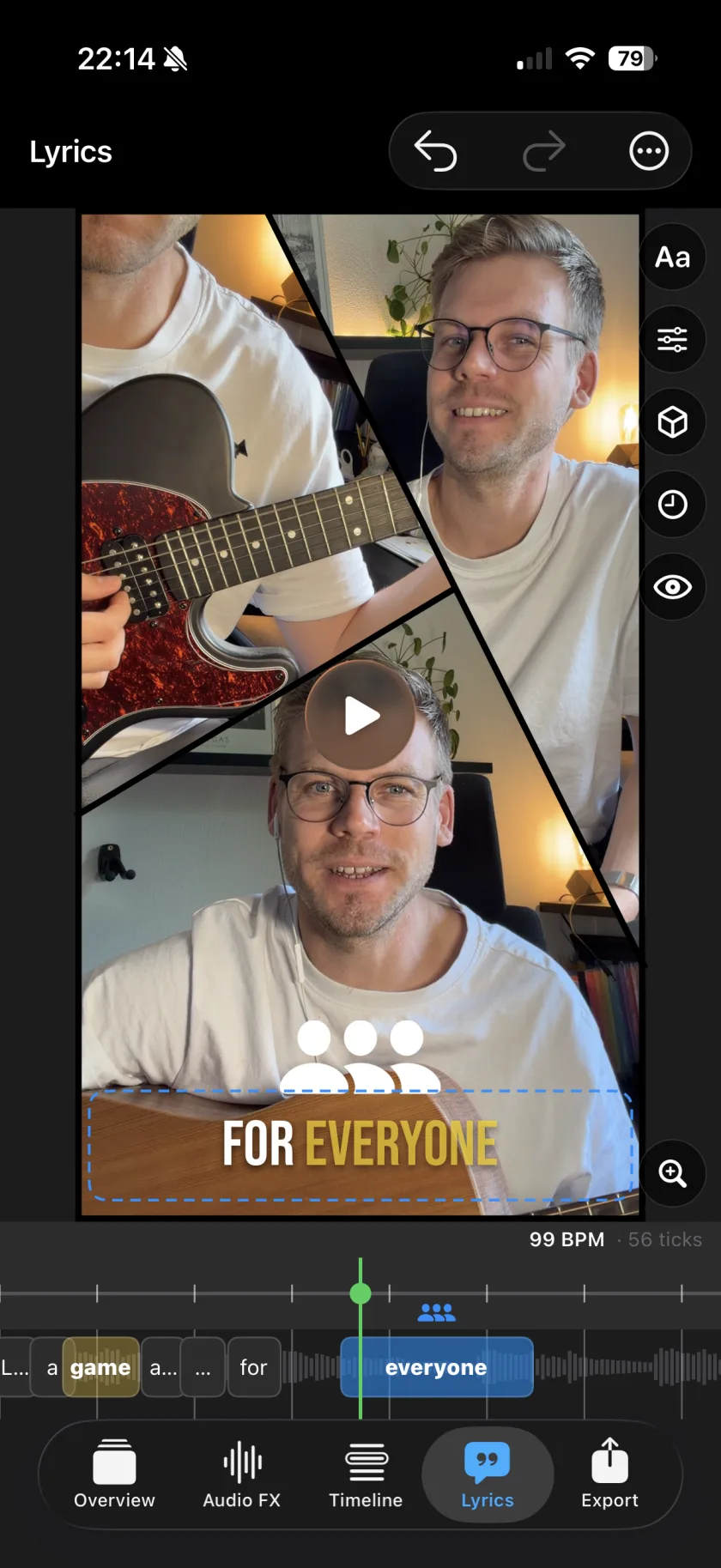
Videcho only treats the audio of a clip you already have. If you want to record takes and layer them - a harmony, an instrument, a second angle - that is what Musaic does.
Feedback
Spotted a bug, or have an idea?
Report it on GitHub. The tracker is public, so you can see what is already known, follow a fix, and add to someone else's report instead of writing a second one. Email still works for anything you would rather not post publicly.
Questions about Videcho.
What does Videcho do?
It adds studio audio effects to a video you already have. Import a clip, raise the volume, add reverb, echo, a three-band EQ, a voice style or character effects like warmth and saturation, master the loudness, change the speed, put a colour look on the picture, preview the result and export a new video.
How do I add reverb to a video on iPhone?
Import the clip into Videcho, open the Audio FX tab, pick a room in the Spatial card and drag Reverb to the amount you like, then tap Export. The guide has the steps with every button name.
Can Videcho make a video louder?
Yes. The Volume slider goes up to 300%, and a limiter, switched on with the shield button, keeps loud peaks from distorting. The Mastering tab goes further: Natural, Social or Loud raise the finished sound toward a loudness target and stop where more would audibly distort. A boost raises the noise of a quiet recording too. How to make a video louder.
Can Videcho make a slowed + reverb video?
Yes. The Speed section on the Audio FX tab has one tap for Slowed + Reverb, which sets 0.80x and a large hall, and one for Sped up at 1.25x. You can also set any speed from 0.5x to 1.5x. The pitch follows the speed, like a record, and the picture stays in sync. How to make a slowed + reverb video.
What is Mastering in Videcho?
Mastering measures the loudness of your video in LUFS and raises it to a target: Natural lifts a quiet mix toward -14 LUFS, Social sets -10 LUFS and Loud goes up to -7 LUFS. Each stops earlier where more would audibly distort. The Mastering tab shows the loudness before and after and plays both. Videcho applies it when you export.
Can I add effects to only part of a video?
Yes. Keyframes set where an effect starts and changes, for example more reverb in the chorus and less in the verse. They work for the sound and for the look. The guide shows the keyframe step.
Can Videcho put a VHS or vintage look on a video?
Yes. The Video FX tab has 17 looks, including VHS, Cassette, Warm Vinyl and Y2K, with a strength dial and blur. How to put a VHS look on a video.
Is Videcho an alternative to VideoVerb?
It does the same job: reverb, echo and EQ on the sound of a video. Videcho has no subscription and no account, and adds keyframes and colour looks. VideoVerb has more reverb presets, 22 languages and audio-only export, and it runs on older iOS versions, while Videcho needs iOS 26. The comparison has the details and the date it was checked.
Are there in-app purchases?
Yes, one. You can try Videcho for 7 days. After that, exporting needs a one-time purchase of €2.99. No subscription, no account.
Does it change my original video?
No. Your original clip is never touched. Videcho exports a new file alongside it, at the size and frame rate of your clip, up to 4K at 60 fps.
Can Videcho record new video or audio?
No - it only treats the audio of a clip you already have. If you want to record takes and layer them, that's Musaic, its larger sibling.
Which devices does it run on?
It's a universal iOS app, so it runs on iPhone and iPad with iOS 26 or later. There's no Android version.