
Features
Add a video
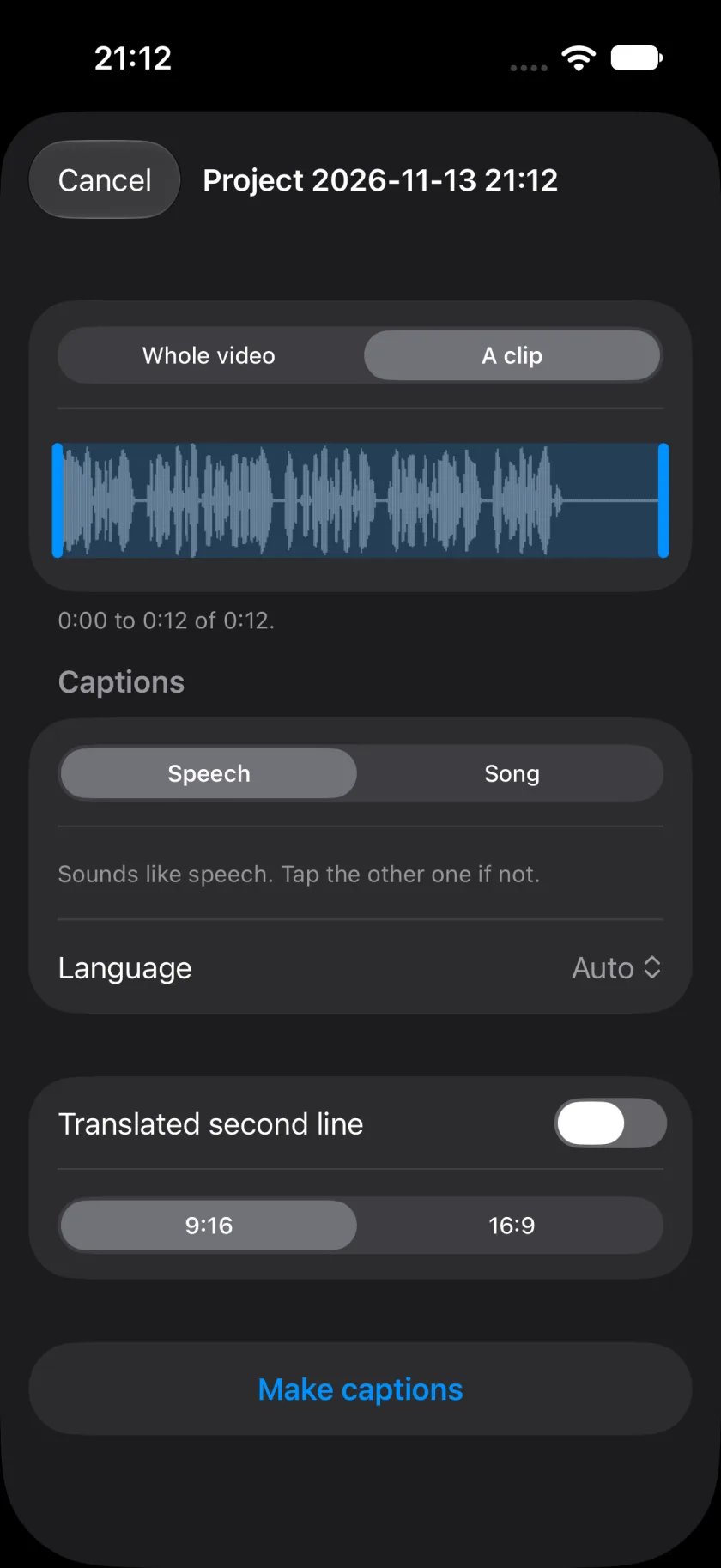
Pick a video from Photos or Files, the whole video or a clip of it. Say whether it is speech or a song, and pick the language or leave it on Auto. Wordwave listens and writes every line, word for word.
A sound file works too, and so does an SRT, WebVTT or LRC file you already have.
Fix every word
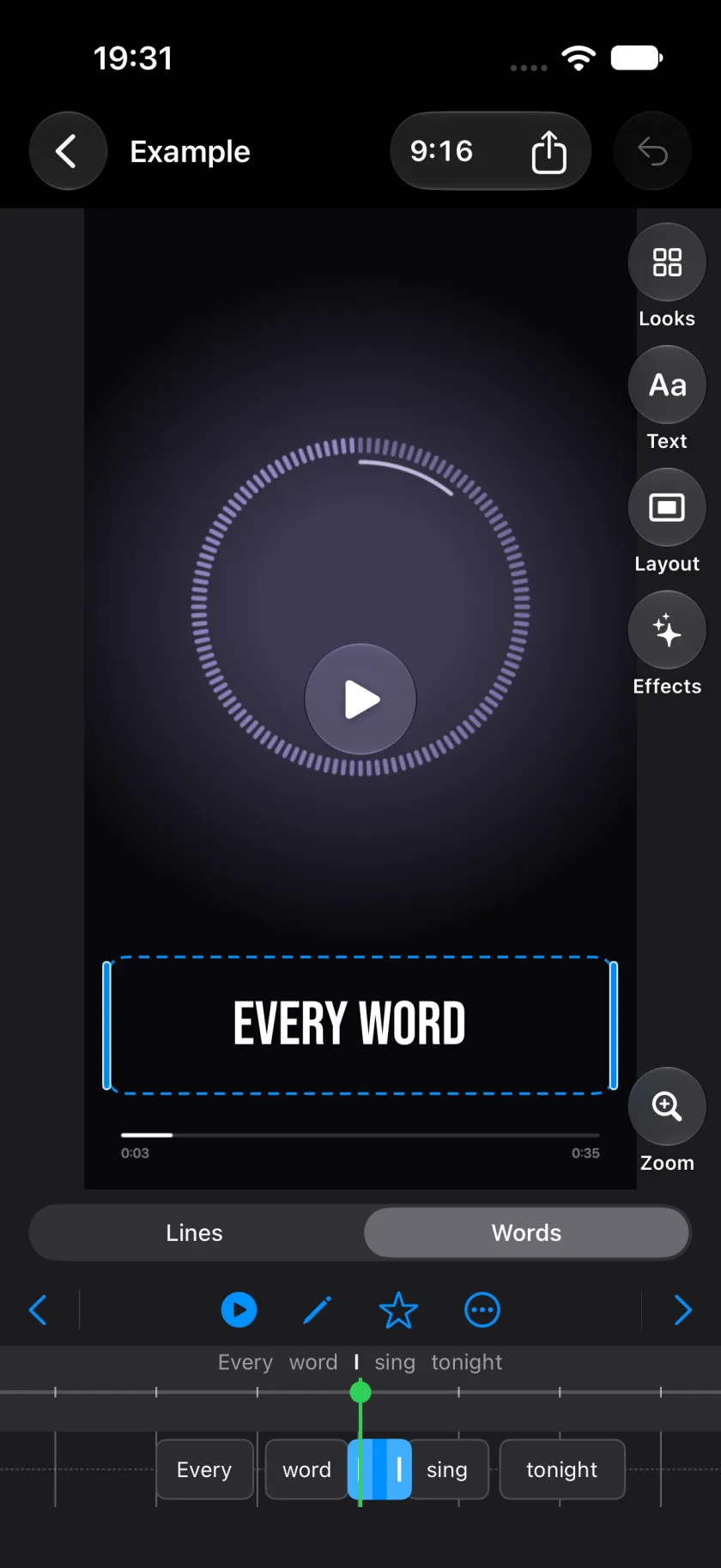
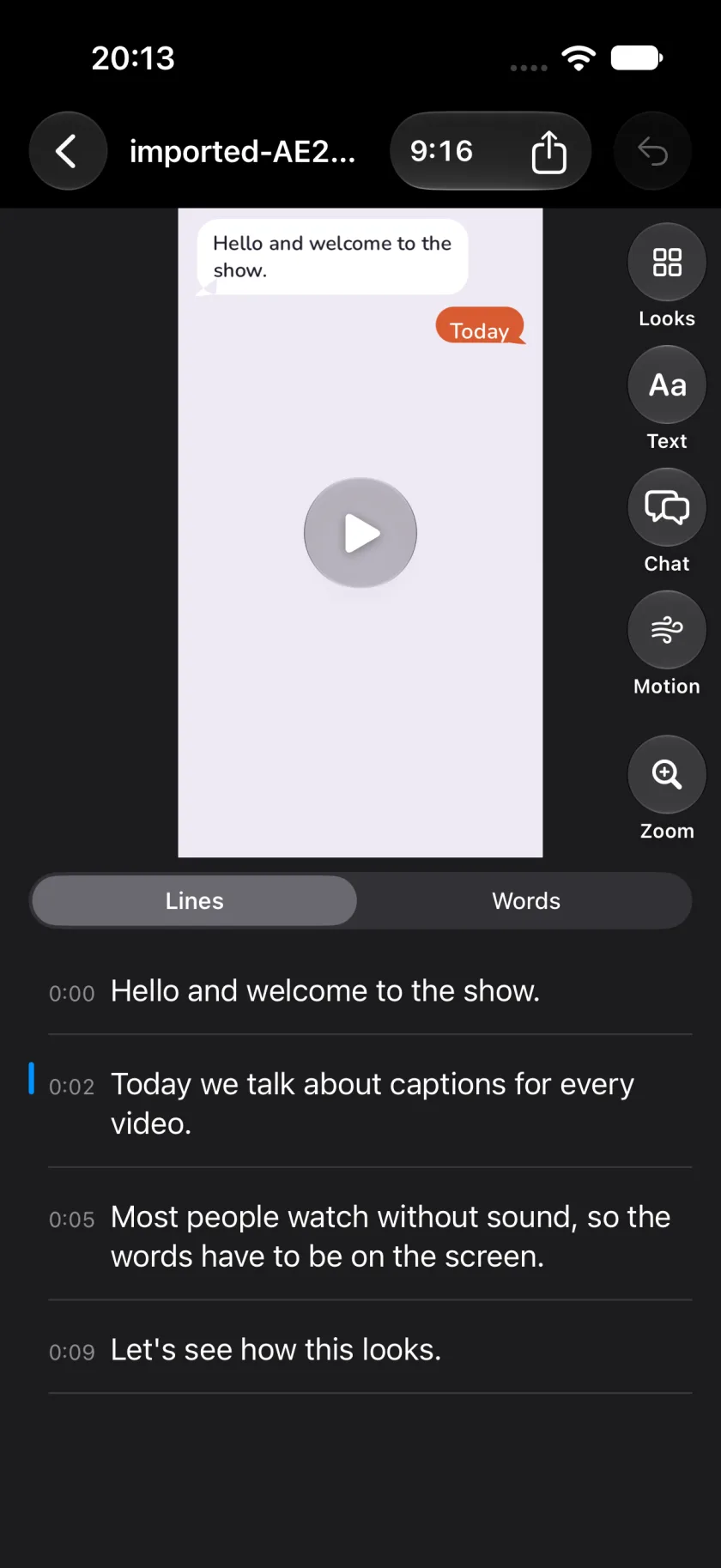
The transcript is a list of lines with their times. Tap a line to correct a word. Under Words, every word sits on a timeline: change it, star it for emphasis, or split a line in two.
Captions
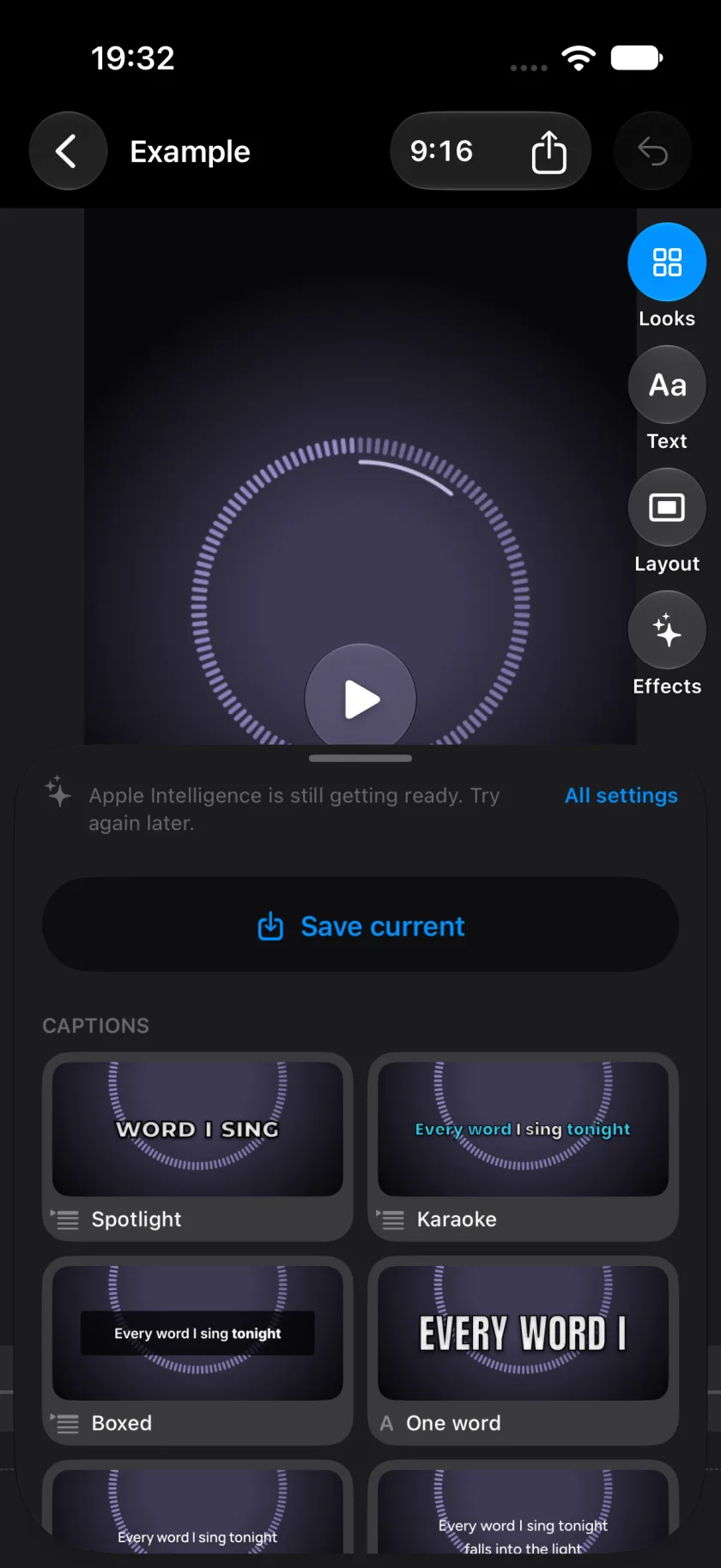
Pick a caption look: Spotlight, Karaoke, Boxed, One word and more. Each one has its settings, such as the font, the colours, the size and the position, and keeps the words clear of the buttons of TikTok and Instagram. Save a look you like as your own preset.
On a device with Apple Intelligence, you can also type what you want, such as "slower words", and Apple's on-device model changes the settings.
Scenes
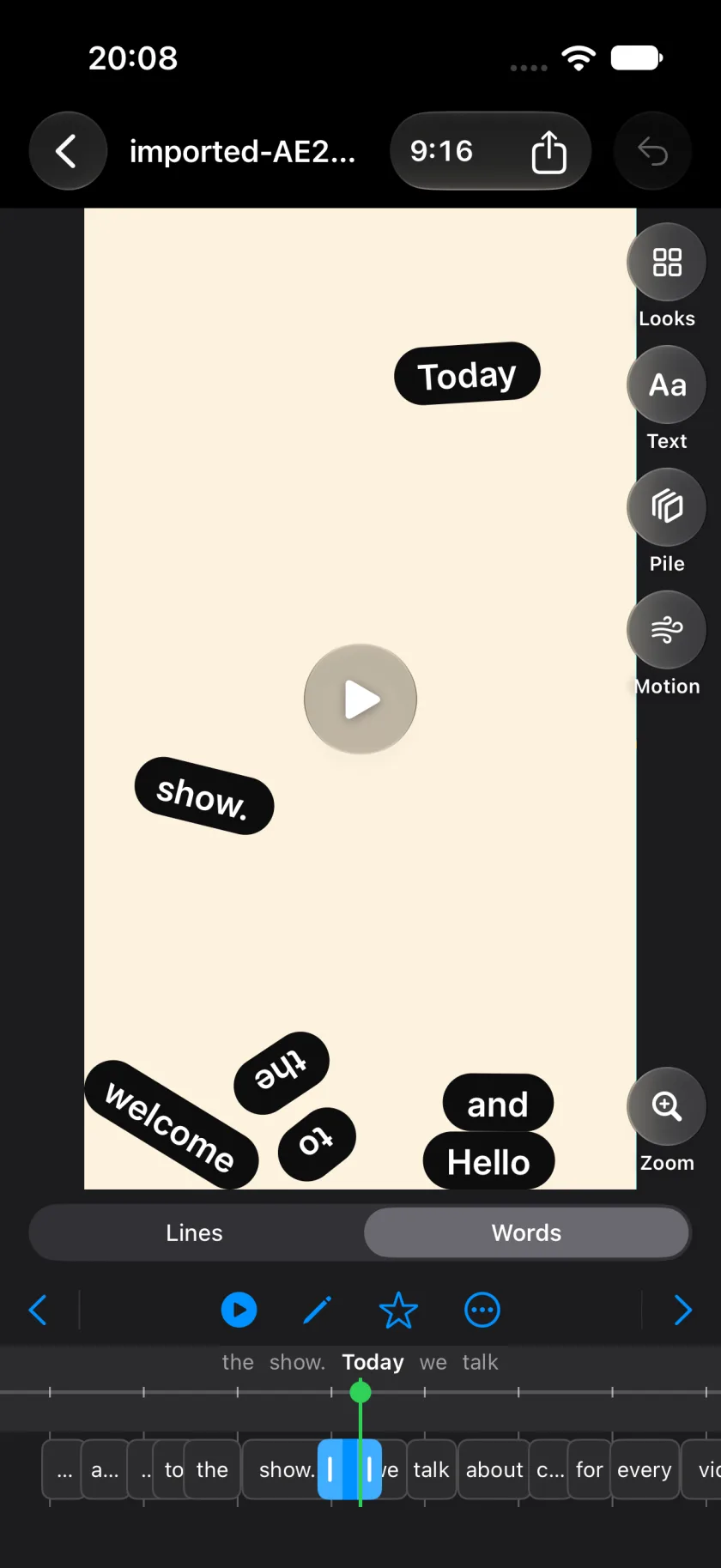
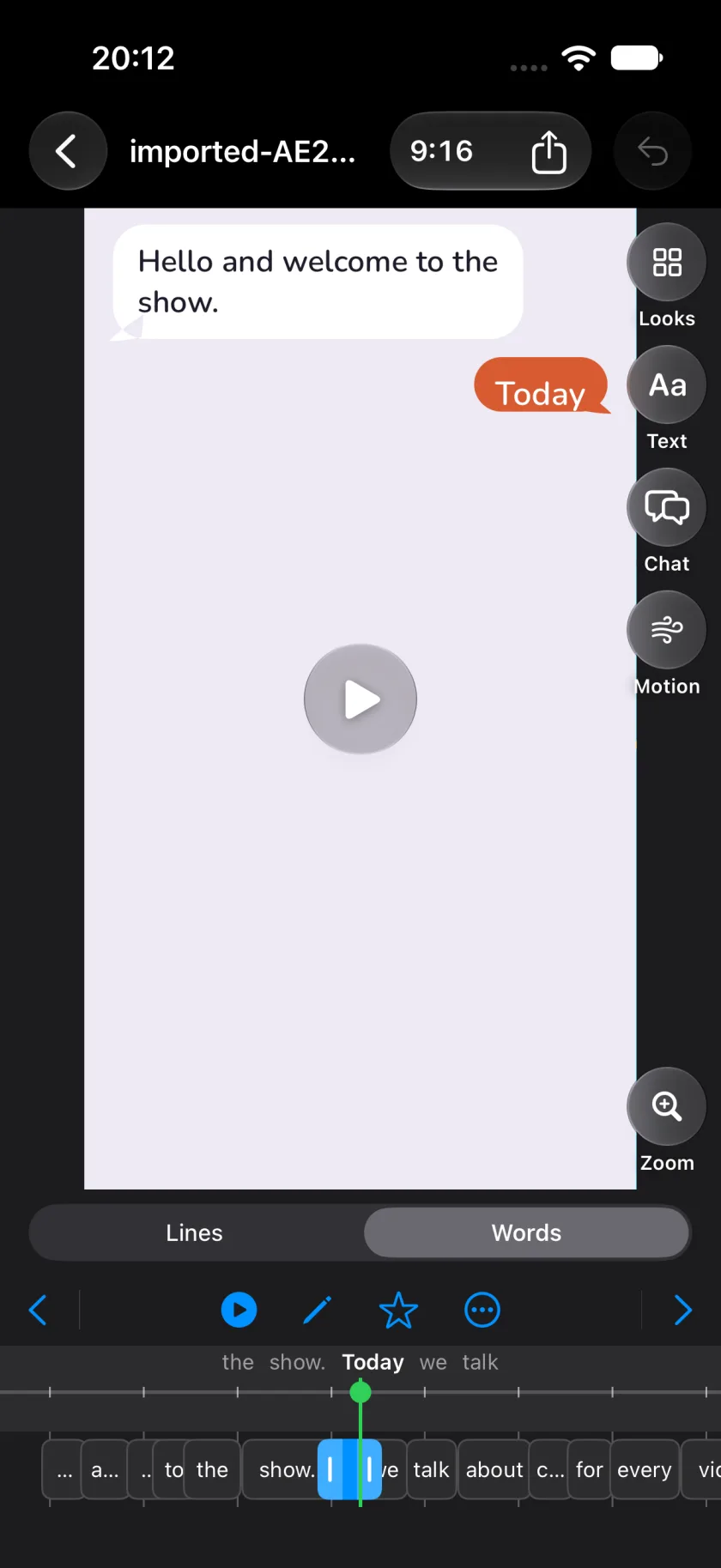
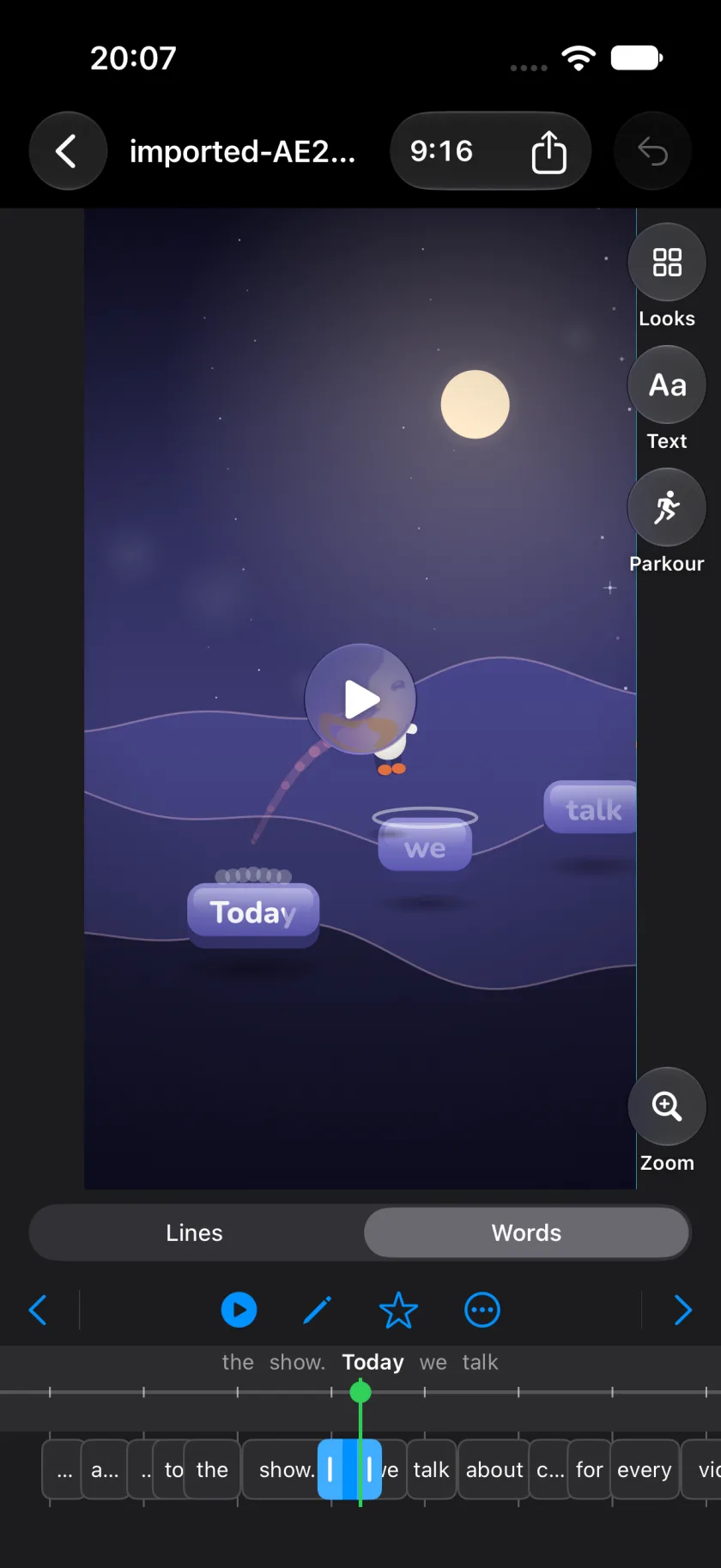
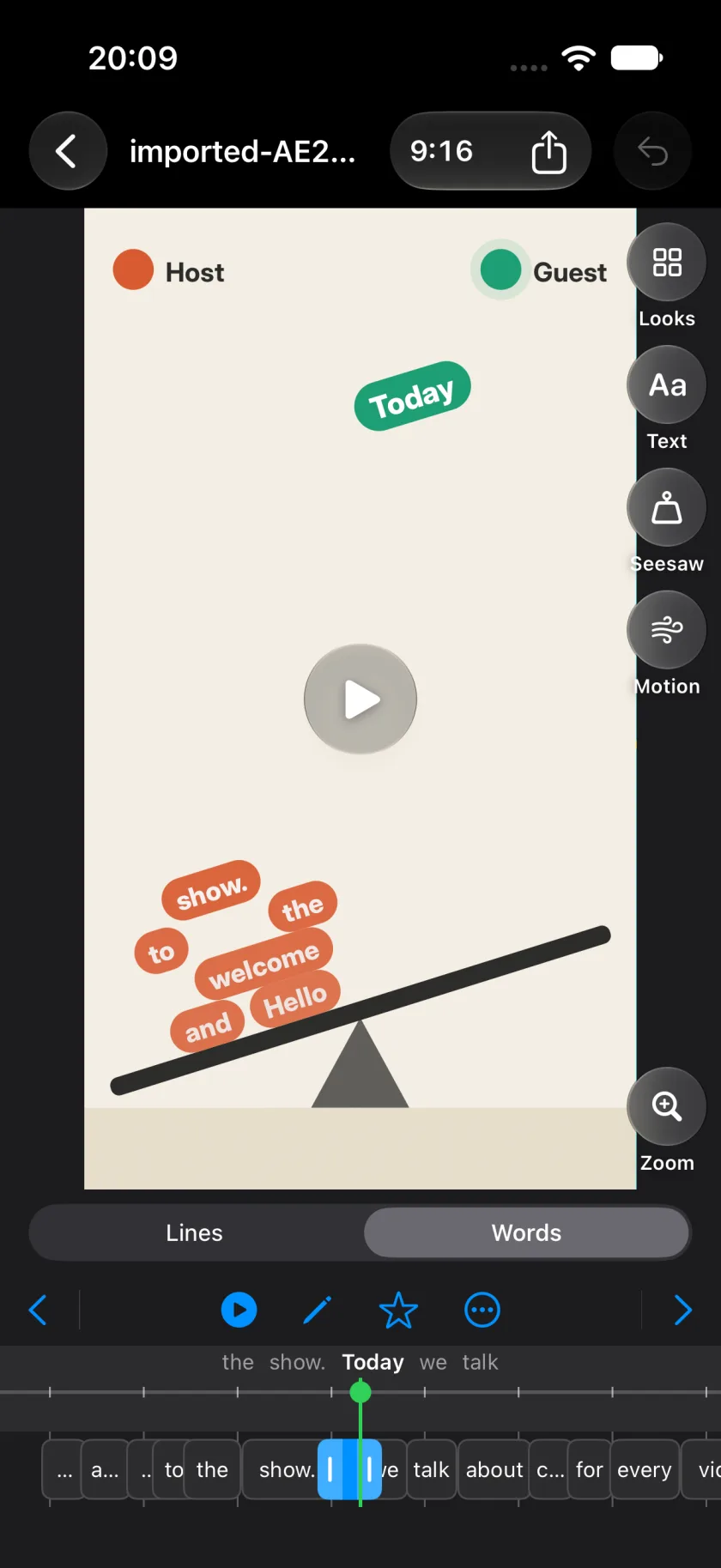
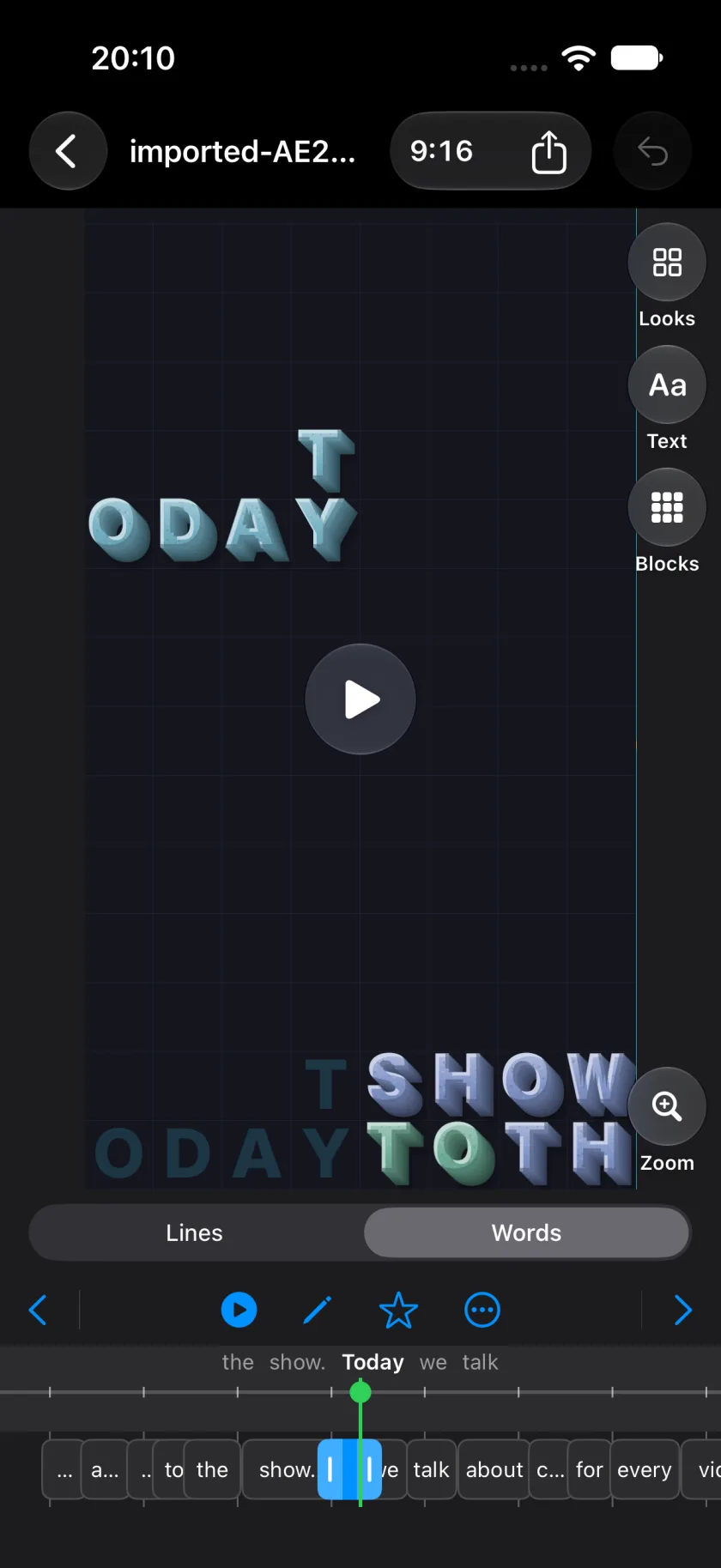
Or let the words fill the frame. Seven Scenes: words fall into a pile, stack as blocks, clear a fogged glass, tip a seesaw between two speakers, carry a running figure, come out from under black bars, or appear as chat bubbles.
The Scenes come from Lyric Studio in the browser. Made for lyric videos and podcast clips.
Export
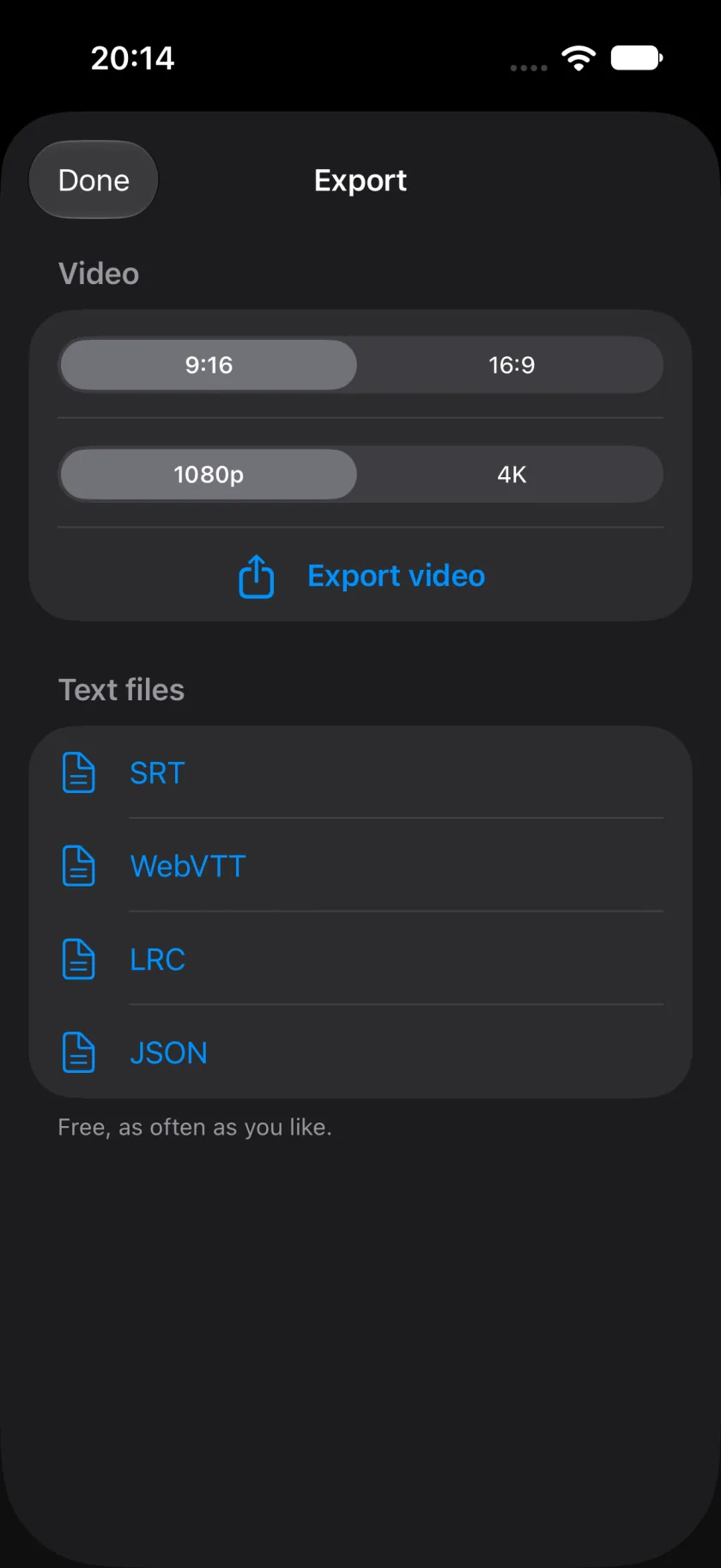
Export the video in 9:16 for Reels, TikTok and Shorts, or in 16:9 for YouTube, in 1080p or 4K. A picture that does not fit the frame gets a blurred copy of itself behind it instead of black bars.
Add a translated second line with Apple's Translation, on the device. Take the captions out as SRT, WebVTT, LRC or JSON, free and as often as you like.
On the Mac
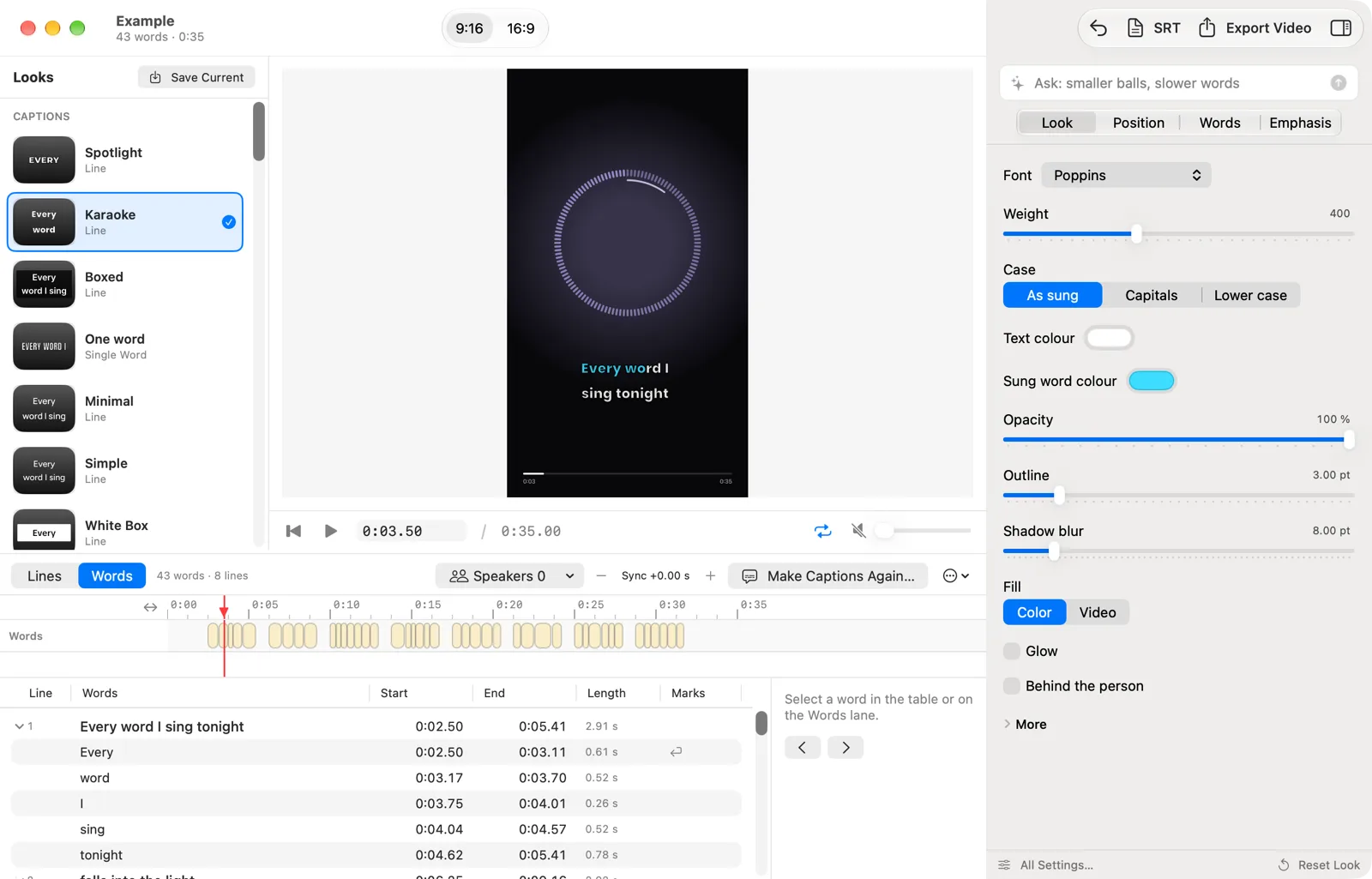
On a Mac the looks sit in a column on the left, the video in the middle, the settings on the right and the lines with their times below. Drag a word's edge to retime it.
One purchase covers iPhone, iPad and Mac.
Feedback
Spotted a bug, or have an idea?
Report it on GitHub. The tracker is public, so you can see what is already known, follow a fix, and add to someone else's report instead of writing a second one. Email still works for anything you would rather not post publicly.
Questions about Wordwave.
What does Wordwave do?
It writes the captions for a video and puts them on it. Pick a video, and Wordwave listens and writes every line, word for word, in time with the sound. Fix a word, pick a look, and export the video for Reels, TikTok, Shorts or YouTube.
Are the captions written on my device?
Yes, on an iPhone or iPad with at least 6 GB of memory and on a Mac, once the speech model is downloaded. The model is about 574 MB and downloads once. On devices with less memory, or before the model is there, Wordwave asks before it sends the sound of the clip to a transcription service. The picture never leaves your device.
Does it work for songs?
Yes. Choose Song instead of Speech before Wordwave listens. It separates the voice from the music on the device, then writes the lyrics. The Scenes turn the lyrics into the whole picture: words fall into a pile, stack as blocks or appear as chat bubbles.
Can I bring my own subtitles?
Yes. Open an SRT, WebVTT or LRC file, alone or with the video or sound file it belongs to. Wordwave exports SRT, WebVTT, LRC and JSON too, free and as often as you like.
Is Wordwave the same as Lyric Studio?
Wordwave is the app version of Lyric Studio, with the same seven Scenes. Lyric Studio runs in the browser and needs a file with timed lyrics or subtitles. Wordwave writes the captions itself, and it adds caption looks for any video.
What does it cost?
The download is free, and so are the first three video exports. After that, a one-time purchase of €7.99 unlocks unlimited exports on your iPhone, iPad and Mac. It is not a subscription. There is no watermark and no account, and the text files are always free.
What do I need?
An iPhone or iPad with iOS 26 or later, or a Mac with Apple silicon and macOS 26 or later. Changing a look by typing what you want needs Apple Intelligence. The app is in English. There is no Android version.