How to find the chords of an audio file, an MP3 or a video
Tap Import, then Audio for a song file such as an MP3, or Video for a video from Photos. GetChords listens to the sound and writes the chord sheet, the same way as for a song it hears through the microphone. On a Mac, drop the file on the window.
GetChords is coming to the App Store for iPhone, iPad and Mac. The guide names every button as the app shows it.
You need GetChords on an iPhone or iPad with iOS 26 or later, or on a Mac with macOS 26 or later. An audio file or a video with sound, in Files or Photos.
-
Open Import
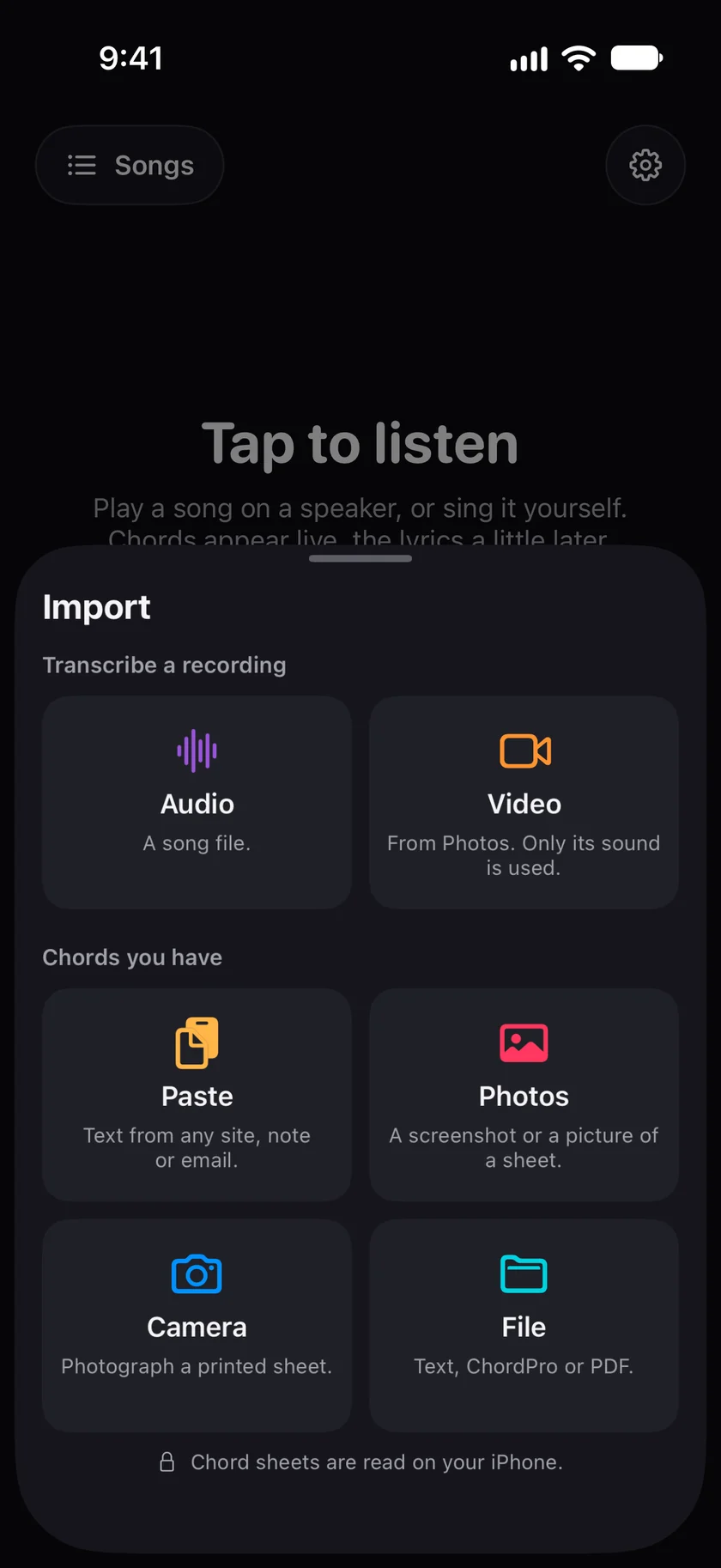
Open GetChords and tap the Import card ("Audio or chords") on the home screen, or Import at the top of Songs. The Import sheet has two groups: Transcribe a recording and Chords you have.
-
Pick Audio or Video
Under Transcribe a recording, Audio ("A song file.") opens Files, and Video ("From Photos. Only its sound is used.") opens your photo library. Choose the file. On a Mac, choose Import… in the + menu at the top of the window, or in the File menu (⌘O). On the Mac, Video opens a file panel, and a song or a video dropped anywhere on the window comes in the same way.
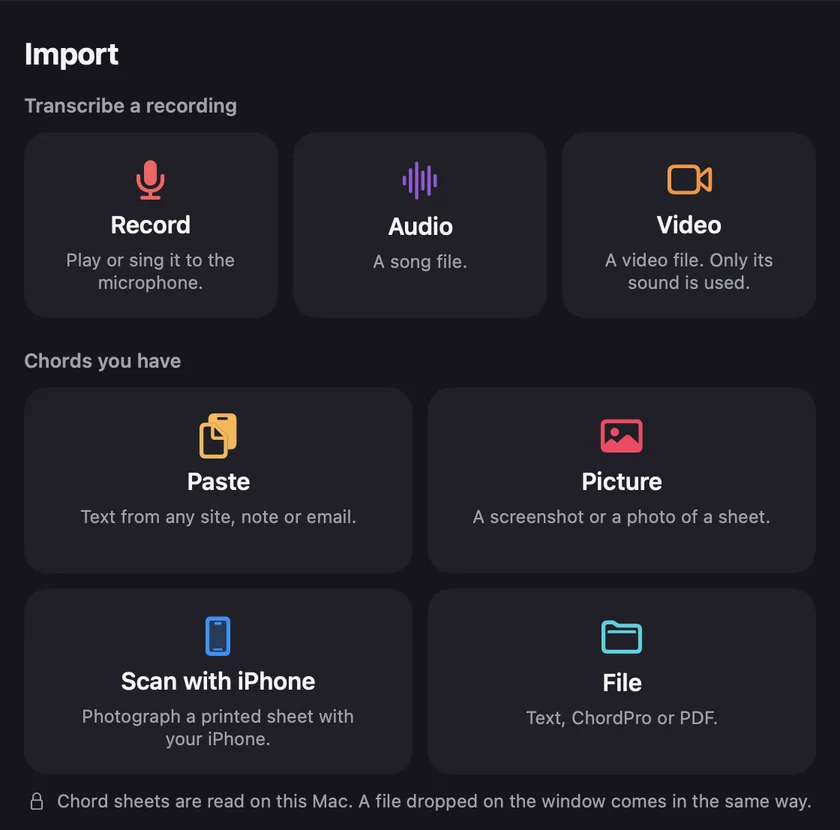
Mac -
Let it write the sheet
The song opens at once. The line above the middle button says Finding the chords, then Writing the lyrics with a percentage. The chords stand above the words they start on, as for a song GetChords heard through the microphone.
-
Check it by ear
Tap a chord to change it, then play that part of the song to hear the new chord against the recording. Tap a word to correct the lyrics. Checking a chord works the same as for a song you recorded.
-
Can I find the chords of an MP3?
Yes. Tap Import, then Audio, and pick the MP3 in Files. GetChords opens audio files that your device can play, such as MP3, M4A and WAV.
-
Can I get the chords from a video?
Yes. Video takes a video from Photos, and on a Mac a video file. Only its sound is used. A video without a sound track gives "This video has no sound, so there is nothing to listen to."
-
Can I paste a YouTube link?
No. GetChords opens files you already have. It does not download anything from a link.
-
Does it work with my own recording or a voice memo?
Yes. In the Voice Memos app, share the memo and choose Save to Files, then import it under Audio. A rehearsal recording or a demo works the same way.
-
What if the file is longer than 5 minutes?
GetChords uses the first 5 minutes and tells you so: "Songs can be up to 5 minutes long. The first 5 minutes of this file are used."
-
Is it free?
The first 25 songs are free, recorded or imported. After that, one purchase unlocks unlimited songs on your iPhone, iPad and Mac. It is not a subscription, and there is no account and no ads. Songs you already have stay readable, editable and exportable without the purchase. An imported file counts like a recorded song, also toward the 20 songs a day.
-
Does my song leave my device?
Your songs and sheets are stored on your device, and the chords are worked out there. With iCloud, your songs also go to your private iCloud, so they reach your other devices. We have no access to it. On an iPhone or iPad with at least 6 GB of memory, GetChords writes the lyrics on the device too, once its speech model is downloaded. Until then, and on other devices, it sends the recording, in pieces, over an encrypted connection to our server and a speech recognition service, which return the text. That needs your permission and an internet connection. The privacy policy names the services.
GetChords turns a song file or a video into a chord sheet with the lyrics, on iPhone, iPad and Mac. It has no subscription and no account.
Coming to the App Store
- How to find the chords of a song you hearGuide
- How to transpose chords and find the right capo fretGuide
- Your chord sheets on iPhone, iPad and MacGuide
- How to open a ChordPro (.cho) file or a PDF chord sheetGuide
Written for GetChords 1.0. Button names are the ones the app shows.