Your chord sheets on iPhone, iPad and Mac
Use GetChords on each device with the same Apple Account and iCloud. A song you add on one device appears on the others, with its recording, lyrics, chord fixes, transpose, capo and folders. There is no account and no switch in the app. Without iCloud, export the sheet as a PDF or an image.
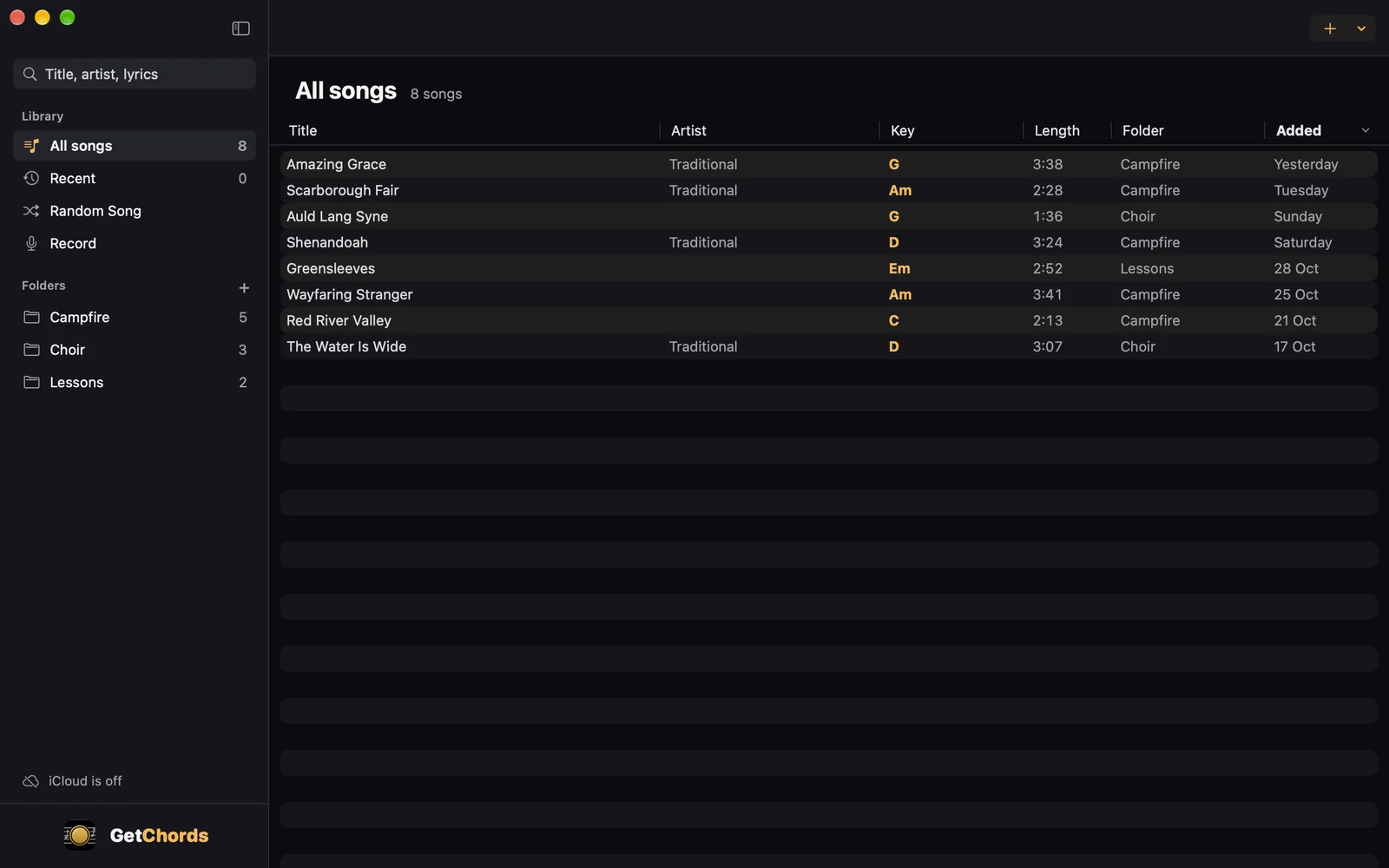
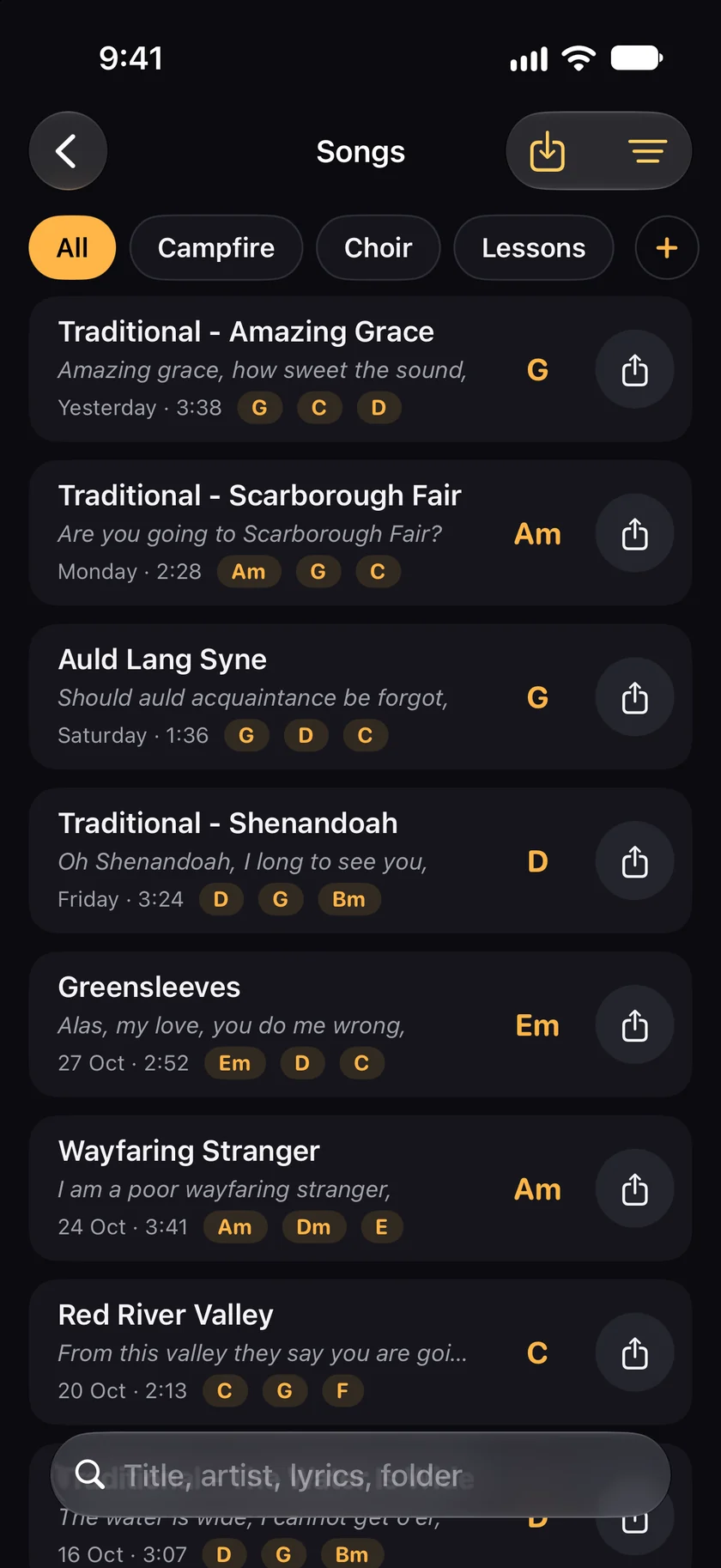
GetChords is coming to the App Store for iPhone, iPad and Mac. The guide names every button as the app shows it.
You need GetChords on two or more devices: an iPhone or iPad with iOS 26 or later, or a Mac with macOS 26 or later, signed in to the same Apple Account with iCloud.
-
Install GetChords on each device
Sign in to the same Apple Account with iCloud on your iPhone, iPad and Mac, and install GetChords on each. There is nothing to set up in the app.
-
Add a song on one device
Record, import or paste a song as usual. It goes to your private iCloud and appears in Songs on your other devices, in the same folders.
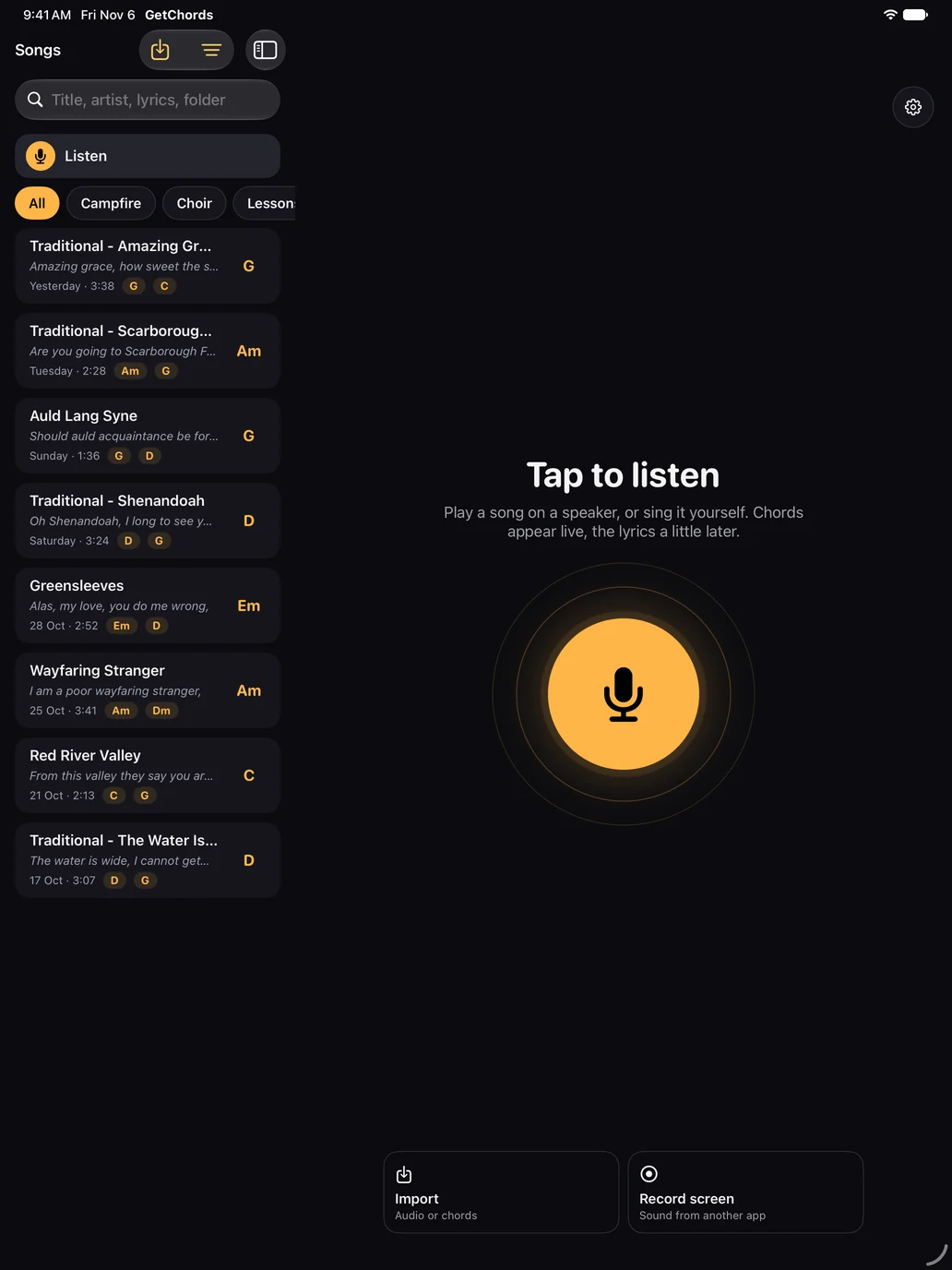
iPad -
Open it on another device
The sheet can be read as soon as it arrives. The recording follows: until it is there, the sheet says Getting the recording, and then Play works.
-
Keep editing anywhere
A chord you fix, a word you correct, the transpose, the capo and the folders reach the other devices. A change made offline goes out when the device is online again.
-
Check it on a Mac
On the Mac, the bottom of the sidebar says Syncs with iCloud or iCloud is off. The Mac plays the recordings from your iPhone and iPad, records with its own microphone and opens files of its own.
-
Is there a chord sheet app for Mac?
GetChords runs on the Mac with macOS 26 or later. It shows your songs in a window with tabs, records a song with the microphone, imports chord sheets, audio files and videos, and plays the recordings you made on your iPhone or iPad.
-
Is there a chord sheet app for iPad?
GetChords runs on the iPad, where the sheet gets larger type and the chord diagrams stand beside it, for reading from a music stand. It listens and imports the same way as on the iPhone.
-
Do I need an account to sync my songs?
No. GetChords uses your own iCloud. We have no access to it.
-
What syncs and what stays on one device?
Everything that makes up a song syncs: the sheet, the recording, the lyrics, your chord fixes, transpose, capo and folders. The original pages of a photo import, the display settings such as text size, your answer about lyrics online and the count of 20 songs a day stay on each device.
-
Can I use my chord sheets offline?
Yes. Your songs are stored on each device and open without a connection. Changes you make offline go to your other devices when you are online again.
-
Does it use my iCloud storage?
Yes. The recordings count toward your iCloud storage, about 5 MB for a 5-minute song. A sheet without a recording is small.
-
Do I have to buy GetChords on each device?
No. One purchase unlocks unlimited songs on your iPhone, iPad and Mac with the same Apple Account, and a song that arrives from another device uses no free song.
-
Can I use it without iCloud?
Yes. GetChords works the same without iCloud, and your songs stay on the device. To read a song on another device, export the sheet as a PDF or an image.
GetChords writes chord sheets on your iPhone and iPad and keeps them on your Mac too, through your own iCloud. It has no subscription and no account.
Coming to the App Store
- How to find the chords of a song you hearGuide
- How to import chords from a website with Share or copy and pasteGuide
- How to transpose chords and find the right capo fretGuide
Written for GetChords 1.0. Button names are the ones the app shows.