How to transpose chords and find the right capo fret
Transposing moves every chord by the same number of semitones. A capo raises the pitch by one semitone per fret, so you play lower shapes and hear the original chords. The capo chart below shows what each shape sounds like. In GetChords, tap ♯♭ to transpose a whole sheet, or set Capo under More and the chords change to the shapes you play.
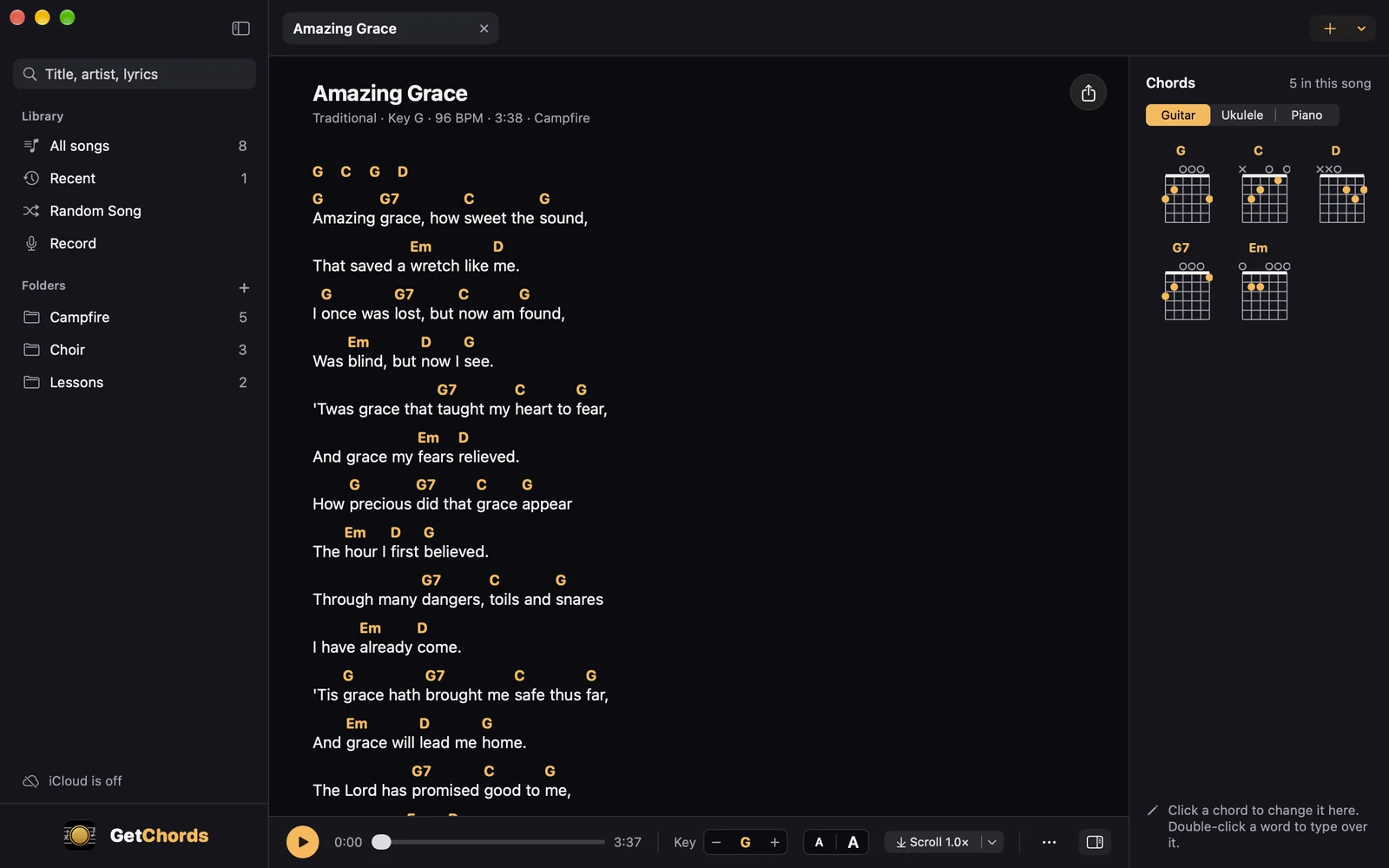
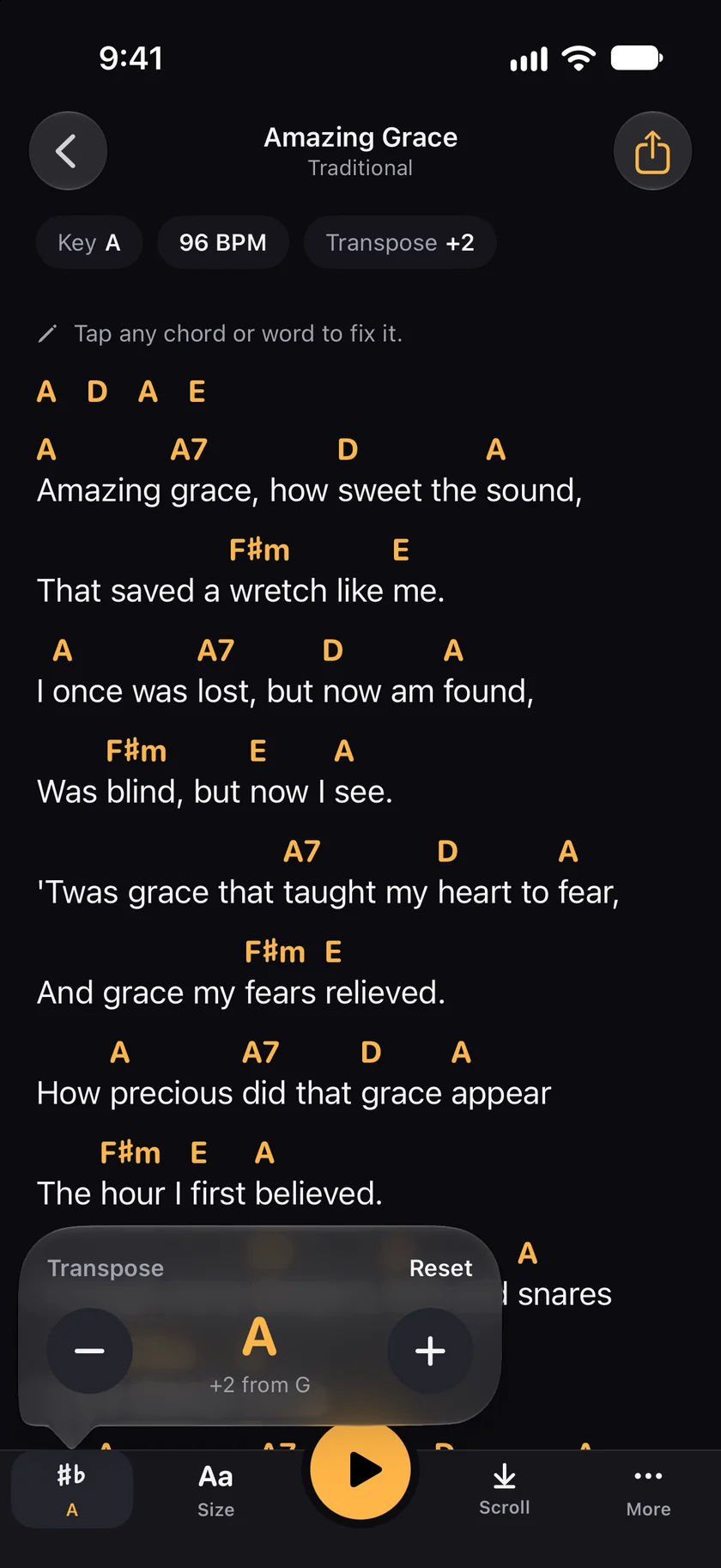
GetChords is coming to the App Store for iPhone, iPad and Mac. The guide names every button as the app shows it.
You need GetChords on an iPhone or iPad with iOS 26 or later, or on a Mac with macOS 26 or later. A song in GetChords, recorded or imported.
-
Open the song
Tap a song in Songs. The chips at the top show its key, and once you change them, the capo and the transpose.
-
Transpose to another key
Tap ♯♭ at the bottom left; the key stands under it. Transpose has a minus and a plus, one semitone each, and says how far you are from the original, such as +2 from G. Reset goes back to the original key.
-
Set a capo
Tap More at the bottom right. Display has Capo, from None upward. With a capo, the sheet shows the chord shapes to play, and the song still sounds in its own key. The capo chart below shows the same thing for every fret from 1 to 7.
-
Make the chords simpler
In Display, switch on Simple chords (C instead of Cmaj7). Sevenths and other extensions drop away, and the sheet shows the plain chord.
-
Show chord diagrams
In Display, Chord diagrams has Off, Guitar, Ukulele and Piano. The diagrams follow the transpose and the capo. On an iPad and a Mac they stand beside the sheet.
-
On a Mac
The bar under the sheet has Key with minus and plus. The … button next to it holds the capo, simple chords and the other display settings.
Each row is a capo fret, each column the chord shape you play. The cell is the chord you hear. Minor shapes move the same way: Am with the capo on 2 sounds as Bm.
| Capo | C | A | G | E | D |
|---|---|---|---|---|---|
| Capo 1 | D♭ | B♭ | A♭ | F | E♭ |
| Capo 2 | D | B | A | F♯ | E |
| Capo 3 | E♭ | C | B♭ | G | F |
| Capo 4 | E | D♭ | B | A♭ | F♯ |
| Capo 5 | F | D | C | A | G |
| Capo 6 | F♯ | E♭ | D♭ | B♭ | A♭ |
| Capo 7 | G | E | D | B | A |
-
What chords do I play with a capo on fret 2?
Shapes two semitones lower than the chords you hear: G shapes for a song in A, C shapes for a song in D, A shapes for a song in B. The capo chart above lists frets 1 to 7.
-
How do I transpose chords to a different key?
Count the semitones from the old key to the new one and move every chord by the same number: from G to A is two, so G becomes A, C becomes D and Em becomes F♯m. In GetChords, the minus and plus under ♯♭ do it for the whole sheet.
-
How do I transpose chords for a capo?
Move every chord down by the fret number of the capo. With the capo on 3, a song in B♭ is played with G shapes. In GetChords, set Capo under More and the sheet shows those shapes.
-
Does a capo transpose up or down?
Up. Each fret raises the pitch by one semitone, so the same shape sounds higher. That is why the shapes you play are lower than the key you hear.
-
What is the difference between transpose and capo?
Transpose moves the song to another key, so you sing higher or lower. A capo keeps the key and changes the shapes you play.
-
Can I transpose a chord sheet I imported?
Yes. A sheet from a website, a photo or a file transposes the same way. GetChords reads a capo line on the page and shows it as a chip, such as Capo 3 · sounds in B♭.
-
Does transposing change the recording?
No. Transpose changes the chord names on the sheet. The recording plays as it was recorded.
-
Is the new key saved?
Yes. Transpose and capo are saved with the song and reach your other devices with it. An export as PDF, ChordPro or image uses the chords as the sheet shows them.
GetChords transposes chord sheets, sets a capo and shows chord diagrams for guitar, ukulele and piano. It has no subscription and no account.
Coming to the App Store
- How to find the chords of a song you hearGuide
- How to import chords from a website with Share or copy and pasteGuide
- Your chord sheets on iPhone, iPad and MacGuide
Written for GetChords 1.0. Button names are the ones the app shows.