How to find the chords of a song playing in another app
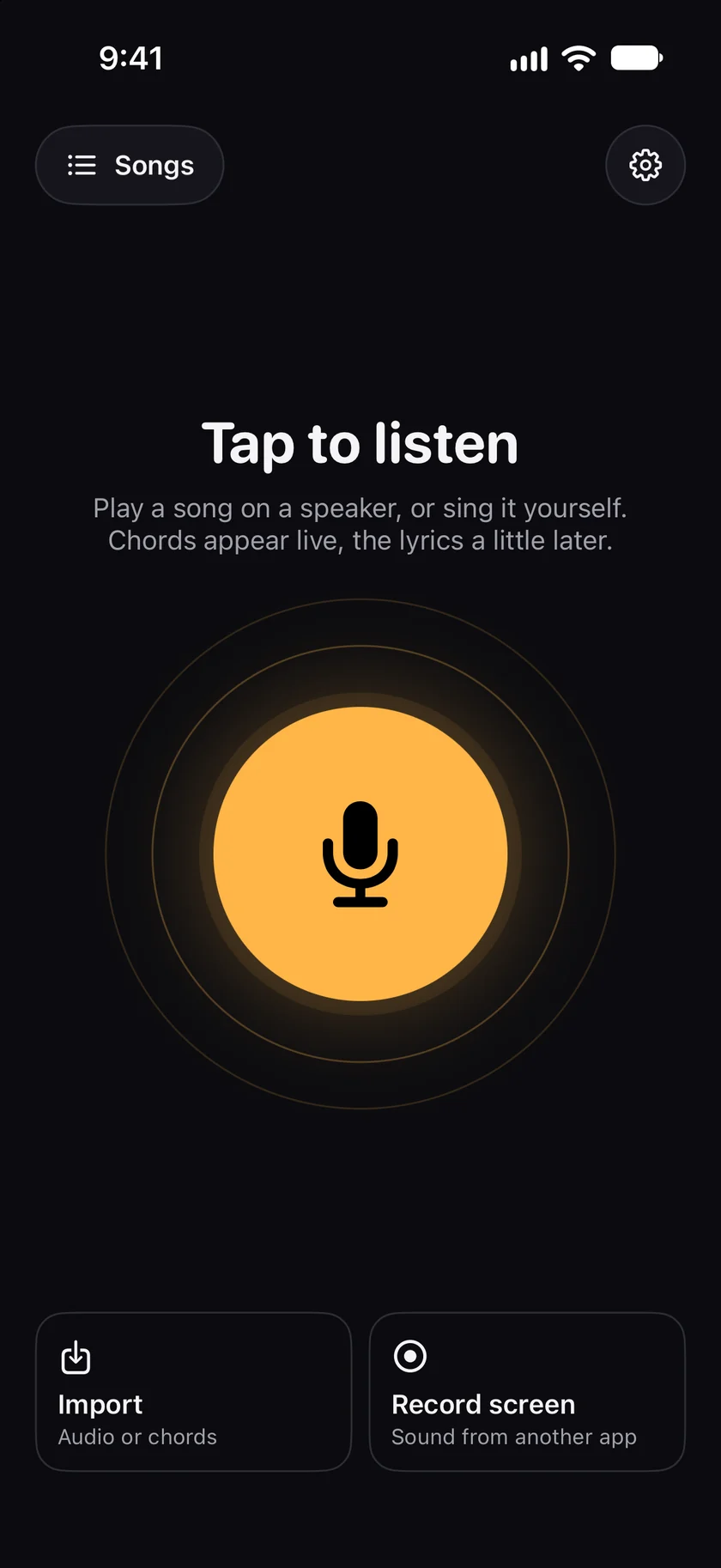
Tap Record screen ("Sound from another app") on the GetChords home screen and start the recording in the iOS box. Switch to the other app and play the song. Come back to GetChords and tap Stop: the song comes in like an audio file, and GetChords writes the chords and the lyrics. It keeps only the sound, never the picture.
GetChords is on the App Store for iPhone, iPad and Mac. The guide names every button as the app shows it.
You need GetChords on an iPhone or iPad with iOS 26 or later. A song that plays in another app on the same device, up to 5 minutes long.
-
Tap Record screen
On the GetChords home screen, tap Record screen ("Sound from another app"). If GetChords has not asked about the lyrics yet, it asks first: Allow lyrics or Chords only.
-
Read the three steps once
The first time, Record the sound of any app explains it: Start the recording (iOS shows a small box), Tap outside the box (it closes and the recording keeps going), and Play your song (then come back and tap Stop). "GetChords keeps only the sound, never the picture." Tap Continue. From then on, the card opens the iOS box straight away.
-
Start the recording
In the iOS box, GetChords is already chosen. Start the recording there, wait for the countdown, and tap outside the box. GetChords now says Recording your screen, with a clock and the hint Switch to your app: swipe along the bottom edge.
-
Play the song in the other app
Switch to the app with the song and play it from the start. GetChords records what that app plays, not your microphone, so talking in the room stays out. There are no chords on the screen while it records: they come when you stop.
-
Come back and tap Stop
Switch back to GetChords and tap the Stop button in the middle. The song comes in like an audio file: the line above the middle button says Finding the chords, then Writing the lyrics. GetChords uses the first 5 minutes.
-
Check it by ear
Tap a chord to change it, and play that part to hear the new chord against the recording. Tap a word to correct the lyrics. Checking a chord works the same as for a song you recorded with the microphone.
-
How do I find the chords of a song playing on my phone?
Tap Record screen in GetChords, start the recording, play the song in its app, then come back to GetChords and tap Stop. GetChords writes the chord sheet with the lyrics.
-
Why are there no chords while I record?
GetChords works on the sound once you stop. The chords appear on the sheet first, and the lyrics follow.
-
Do I need a link to the song?
No. GetChords does not load links or download anything. It records the sound the other app plays on your device.
-
Does GetChords record my screen?
No. iOS calls it a screen recording, but GetChords keeps only the sound of the app that plays. The picture and the microphone are dropped.
-
Can I export the recording?
No. The sound stays inside GetChords, so you can play the sheet along with it. Every export is the sheet: PDF, ChordPro or an image.
-
Can I do this on a Mac?
Not with Record screen. On a Mac, click Record in the sidebar and play the song to the microphone, or drop an audio file on the window.
-
How long can a song be?
Up to 5 minutes. A recording counts like a song you listened to: up to 20 songs a day, and one of the 25 free songs.
-
Does my song leave my device?
Your songs and sheets are stored on your device, and the chords are worked out there. With iCloud, your songs also go to your private iCloud, so they reach your other devices. We have no access to it. On an iPhone or iPad with at least 6 GB of memory, GetChords writes the lyrics on the device too, once its speech model is downloaded. Until then, and on other devices, it sends the recording, in pieces, over an encrypted connection to our server and a speech recognition service, which return the text. That needs your permission and an internet connection. The privacy policy names the services.
-
What does it cost?
The first 25 songs are free, recorded or imported. After that, one purchase unlocks unlimited songs on your iPhone, iPad and Mac. It is not a subscription, and there is no account and no ads. Songs you already have stay readable, editable and exportable without the purchase.
GetChords writes the chord sheet of a song you play to it, in the room or in another app, with the lyrics under the chords. It has no subscription and no account.
- How to find the chords of a song you hearGuide
- How to find the chords of an audio file, an MP3 or a videoGuide
- How to find the key of a songGuide
- How to transpose chords and find the right capo fretGuide
Written for GetChords 1.0. Button names are the ones the app shows.