How to make a chord chart with lyrics for your own song
In Songs, tap + and then From scratch. Type the lyrics and put each chord in brackets before the word it starts on, such as [G]Your first line. The row above the keyboard has the chords of the key, so a tap puts one at the cursor. Switch to Sheet, and the chords stand above the words. Share it as a PDF to print. A song you write uses none of the 25 free songs.
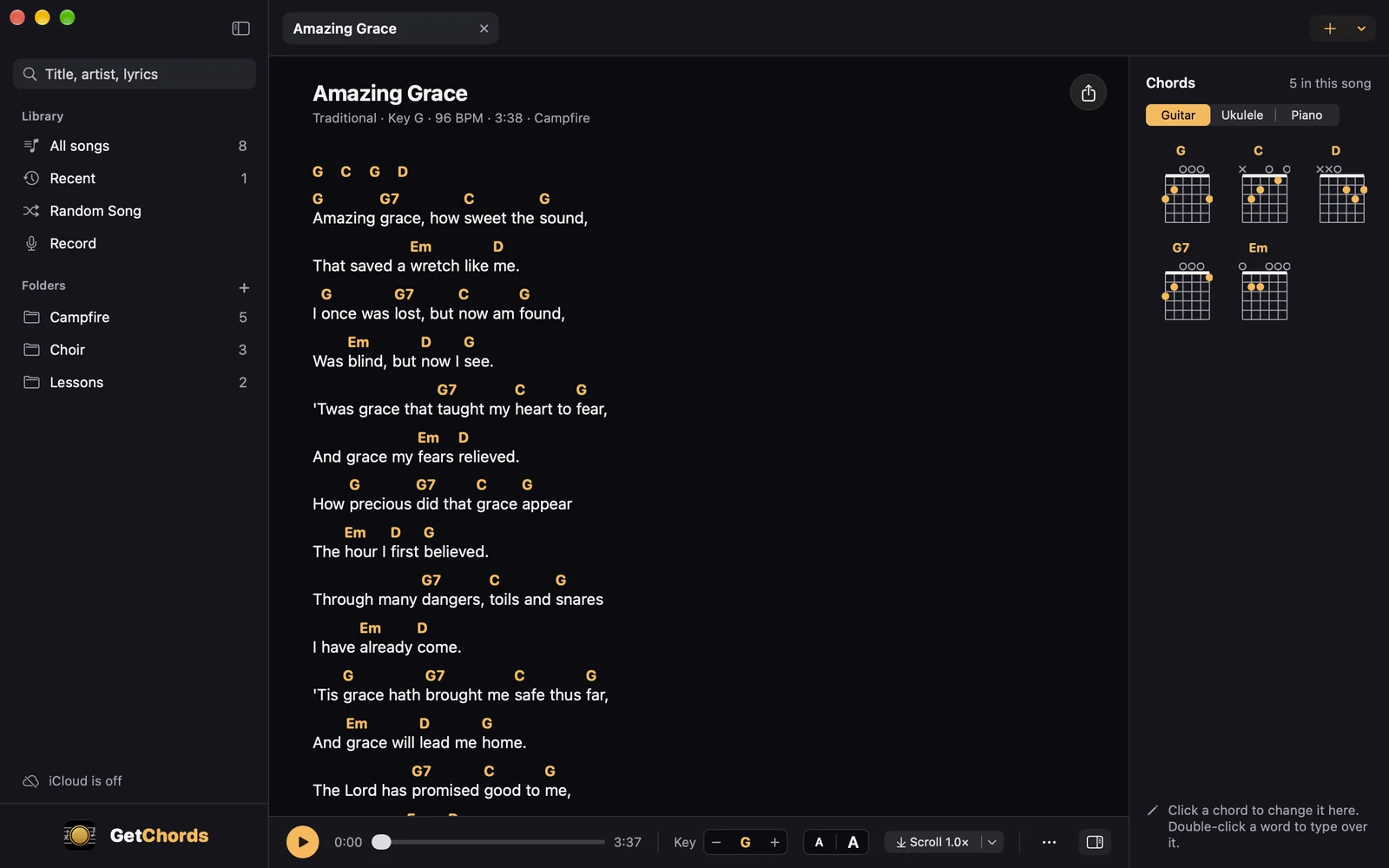
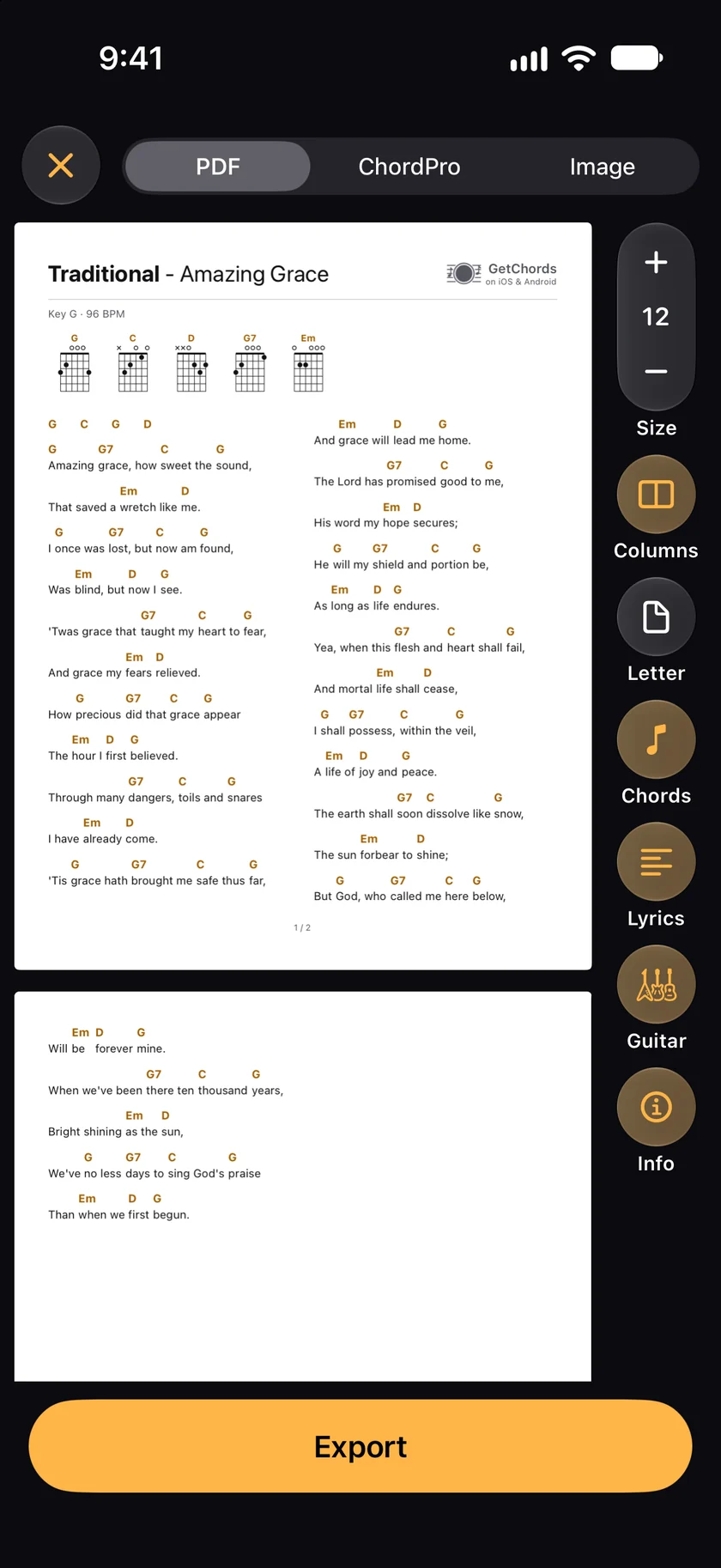
GetChords is on the App Store for iPhone, iPad and Mac. The guide names every button as the app shows it.
You need GetChords on an iPhone or iPad with iOS 26 or later, or on a Mac with macOS 26 or later. The words and the chords of your song.
-
Start a new song
Open GetChords, tap Songs at the top left, then the + (New Song) at the top right. Under Write it yourself, tap From scratch ("A blank sheet. Write the words and the chords."). The song opens in Write, with the keyboard up.
-
Give it a title
Type the Title and, if you like, the Artist. A song without a title is named after its first line.
-
Type the words with the chords in brackets
Put each chord in square brackets right before the word or syllable where it changes: [G]Your first line, the [D]chords in brackets. A line that ends in a colon, such as Chorus: or Verse 2:, names the section below it. A line of chords alone, such as [G] [C] [D], is an instrumental line.
-
Tap the chords instead of typing them
The row above the keyboard starts with the key, such as G. Tap it to pick another major or minor key. Next to it stand the seven chords of that key: a tap puts one at the cursor, brackets included. Other… has every root, with kinds such as 7, m7, maj7, sus4, dim and aug.
-
Switch to Sheet
Tap Sheet at the top. The chords stand above the words they start on, the section names above their lines, and the key at the top, worked out from your chords. Tap Write to go on writing. On an iPad, the finished sheet stands beside the text as you type.
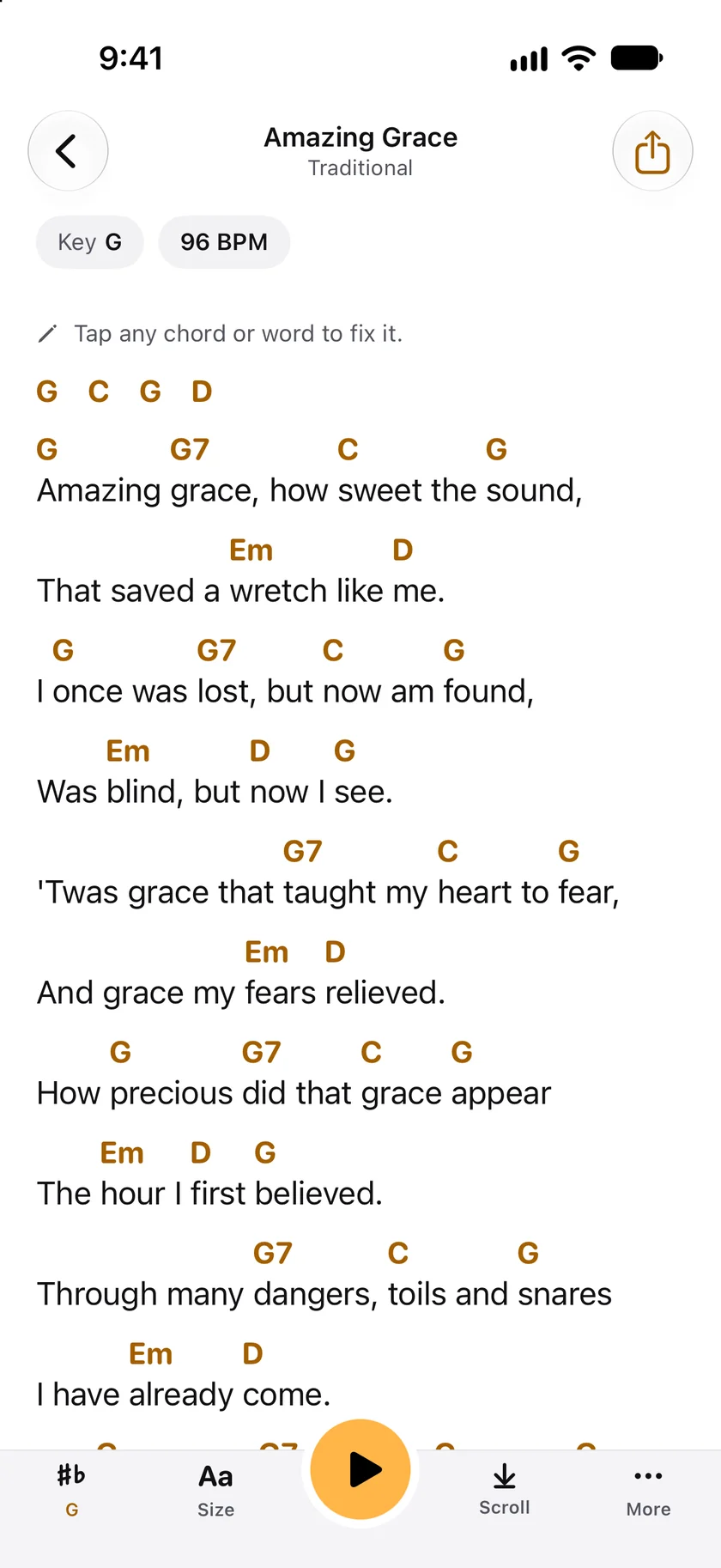
iPhone -
Transpose, add diagrams, print
It is a song like any other: ♯♭ transposes it, More sets a capo and chord diagrams for guitar, ukulele or piano. Tap the Share button for a PDF to print, on A4 or Letter, in one or two columns, a ChordPro file or an image.
-
On a Mac
Choose New Song in the File menu (⌘N), or click + at the top of the window, then From scratch. Write and Sheet switch at the top, and the sheet stands beside the text as you type. At the bottom, Chords in picks the key, and a click on one of its chords puts it at the cursor. You can also type it, such as [Am]. Click Done when the song is written.
-
How do I write chords above the lyrics?
Type the lyrics in GetChords and put each chord in square brackets before the word it starts on, such as [C]home. Sheet sets every chord above its word, the way a printed chord chart looks, and keeps it there.
-
How do I make a chord chart for a song?
Write the song on a blank sheet with From scratch, chords in brackets, section names on lines of their own. Then share it as a PDF. To start from a sheet you already have, import it instead: from a website, from a photo or from a file.
-
Can an app write down the chords while I play?
Yes. Tap Tap to listen and play and sing your song. GetChords writes the chords and the lyrics into a sheet. The listening guide shows how.
-
Can I print the chord chart as a PDF?
Yes. Tap the Share button and choose PDF. You pick A4 or Letter, one or two columns, the text size, and whether the chord diagrams are on the page.
-
Is there a chord chart maker app?
GetChords makes chord charts on iPhone, iPad and Mac: type the song, or let it listen, and share the chart as a PDF, a ChordPro file or an image.
-
Does a song I write count toward the free songs?
No. A blank sheet uses none of the 25 free songs and does not count toward the 20 songs a day.
-
Can I edit an imported chord sheet the same way?
Yes. A song without a recording, such as a pasted or scanned sheet, has Write and Sheet at the top. In Write it is text with the chords in brackets.
-
How do I send a chord chart to my band?
Open the song and tap the Share button. Link sends a link that opens the song in GetChords, and QR code shows a code to scan with an iPhone camera. PDF is for printing or sending, and ChordPro is for other apps. Only the chords and words go along, never the recording. Someone without GetChords who opens the link gets a page with the App Store button and nothing of the song.
GetChords sets your song as a chord chart with the chords above the lyrics, transposes it and prints it. It has no subscription and no account.
- How to open a ChordPro (.cho) file or a PDF chord sheetGuide
- How to transpose chords and find the right capo fretGuide
- How to find the chords of a song you hearGuide
- Your chord sheets on iPhone, iPad and MacGuide
Written for GetChords 1.0. Button names are the ones the app shows.